

The irony of working in sales is how much of the job has nothing to do with selling. Deals are won in conversations with buyers, yet the day fills up with everything but those conversations. Reps spend so much time organizing deals that the deals themselves barely move.
If you’re one of the many sellers who spends less than 30% of your time actually selling, you’re already very familiar with this problem. You're probably also familiar with the game-changing influence AI sales automation software can have on reclaiming that time by taking over the routine tasks that slow you down.
Once you start researching sales automation platforms, however, the path forward gets less clear. Every platform promises AI-powered insights, smarter workflows, and faster pipelines—but which ones actually deliver?
You’ve come to the right place. Read on to discover the best sales automation software across every category, from buyer engagement and prospecting to pipeline management and outreach automation.
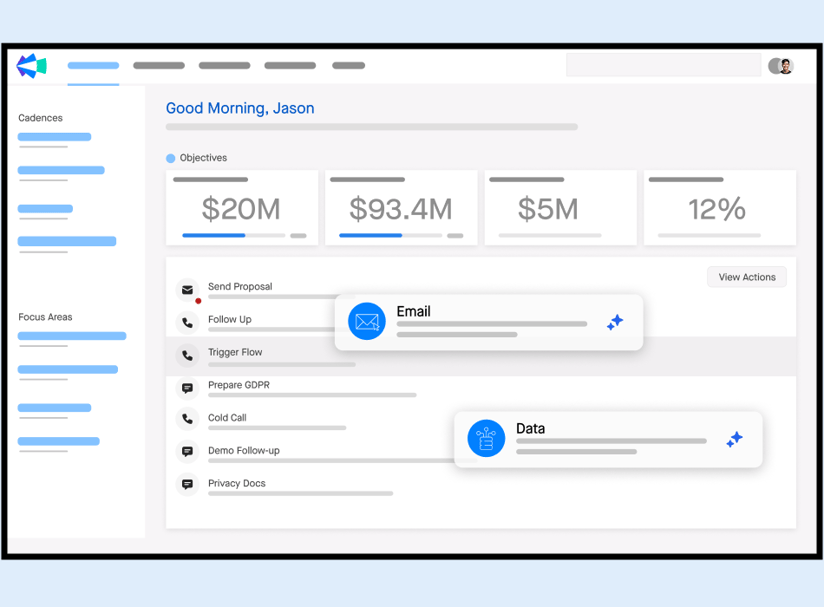
1. Clari
Sales Automation Software and How It’s Evolving with AI
Sales automation software is technology designed to handle the repetitive tasks that consume a sales rep’s time, such as data entry, follow-ups, scheduling, and lead tracking. Think of it as a digital sales assistant that handles the busywork so reps can focus on building relationships and closing deals.
Early sales automation tools relied on rigid, rule-based workflows. They handled straightforward tasks like sending scheduled email sequences, assigning leads by territory, or triggering reminders when a deal moved to a new stage.
But as sales cycles became more complex and buyer behavior shifted, simple task automation stopped being enough. Modern B2B deals now involve an average of 6–10 stakeholders, with up to 80% of the decision-making happening before a sales rep even enters the conversation.
This reality has paved the way for a new generation of AI-powered sales automation software that help teams keep pace with increasingly informed and selective buyers. Today’s tools go beyond simple task management, introducing capabilities like:
- Predictive lead scoring: Analyzing buyer behavior patterns to identify high-intent prospects
- Intelligent email personalization: Generating customized outreach based on buyer data and engagement history
- Automated meeting scheduling: Coordinating calendars without back-and-forth emails
- Conversation intelligence: Analyzing sales calls to surface coaching insights and deal guidance
- Demo automation: Delivering personalized product experiences that adapt to buyer interests and needs
Sales automation software started as a way to reduce manual work. Now it’s a central part of how deals get won.
How Successful Sales Teams Use AI Automation Software
It wasn’t that long ago that sales teams tried to solve productivity problems by hiring more reps or pushing harder on activity metrics. The real bottleneck wasn’t effort—it was process. Too much time was spent scheduling demos, chasing stakeholders, updating CRM fields, and handling other operational tasks that added zero value to the buyer experience.
Modern sales teams use AI sales automation software to eliminate these bottlenecks entirely, unlocking new levels of efficiency and performance across the funnel.
Prospecting is a good example. Sales automation tools analyze firmographic data, engagement signals, and historical deal patterns to surface the prospects most likely to convert. Instead of spending hours researching accounts and guessing which leads to prioritize, reps start the day with a prioritized list of opportunities ready for outreach.
The same shift is happening with outreach. AI-powered sequencing tools handle the operational side of follow-ups, from timing messages to personalizing them. If a buyer revisits the pricing page or watches part of a demo, the system automatically queues the next message. Nothing falls through the cracks, and reps don’t spend their afternoons babysitting sequences.
Scheduling (once one of the most frustrating parts of the sales process) has largely disappeared as a task. AI assistants coordinate calendars, manage time zones, and send reminders to every stakeholder involved in the deal. What used to take five emails now happens in seconds.
Even during sales calls, AI works in the background. Conversation intelligence tools capture transcripts, highlight objections, and surface relevant resources in real-time. And when the call ends, the administrative work doesn’t pile up anymore. AI automatically summarizes meetings, updates CRM fields, and logs deal activity, keeping pipeline data accurate without forcing reps to spend hours on manual updates.
The difference is already showing up in the numbers: Not only do reps gain back more than 10 hours per week as a result of coordinated AI strategies, but organizations are twice as likely to report revenue growth compared to those taking an ad-hoc approach.
Best for Buyer Engagement & Sales Experience Automation
Buyer engagement and demo automation tools let buyers explore products through interactive demos and self-serve experiences. At the same time, they capture valuable intent data that helps sales teams understand what buyers truly care about.
Top picks include:
1. Consensus
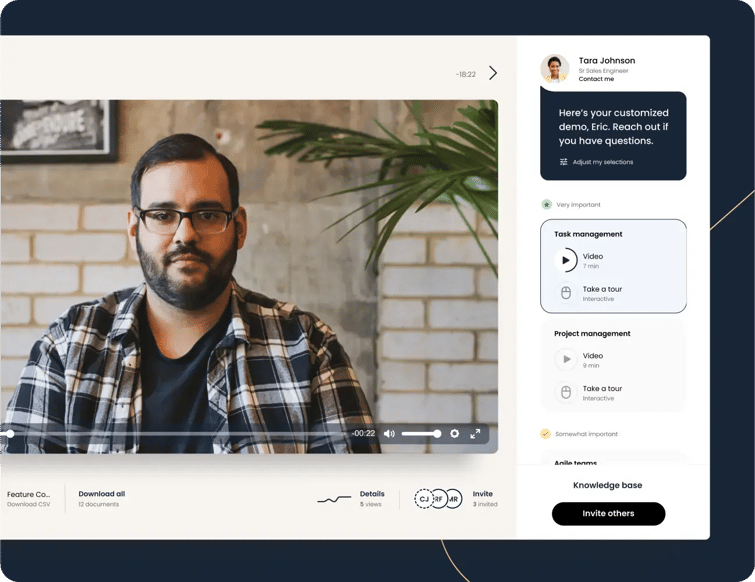
Consensus is an AI-powered product experience platform that helps B2B teams deliver personalized product demos at scale. Sales and presales teams can create on-demand video demos, interactive product tours, and automated product simulations tailored to different personas and use cases. As buyers move through the funnel, teams can send the demo that fits the moment, from a quick overview in early discovery to a feature-level walkthrough before the final decision.
That level of personalization doesn’t mean more custom work for your sales engineers, either. Consensus AI automatically generates demo flows and assembles product content, eliminating the need to build a new walkthrough for every buyer. And as buyers engage, the platform tracks who watched, what features they explored, and how demos spread across the buying group. This gives revenue teams clear visibility into stakeholder interest and deal momentum.
Consensus is also impressively ranked as #5 on G2's top sales software list.
Best For
- Delivering AI-personalized demo experiences across the sales cycle
- Scaling demos without increasing sales engineer workload
- Enabling buyer self-education with interactive product experiences
- Surfacing stakeholder engagement and buyer intent signals
- Supporting multi-stakeholder B2B buying committees
- Reducing repetitive demos for sales and presales teams
Features
Standout features include Consensus AI (agents, demo assistants, instant search, intelligent recommendations, transcripts, and more), on-demand video demos, automated product simulations, interactive product tours, personalized demo paths, engagement analytics (Demolytics), and CRM integrations.
Pros
- “I love how it allows me to differentiate between serious evaluators and those less committed based on their engagement with the videos.” – G2 user
- “The ability to deliver personalized, role-based video demos means buyers get relevant information faster, without needing multiple live calls, which shortens sales cycles and improves engagement.” – G2 users
- “The quick, targeted, 2-3 minute videos have increased my response rate from prospective customers and customers alike.” – Capterra user
- “This flexibility of being able to be in front of clients after hours or weekends has taken a lot of pressure off meeting throughout the workday.” – TrustRadius user
- “The platform enables me to send a general overview demo which excites buyers and covers the basic functionalities, so by the time we have a live demo, we can dive deeper into the platform.” – GetApp user
Cons
- “It’s not a major issue, but adoption can take a bit of time before it feels second nature.” – G2 user
- “Initial configuration takes some thought to get the buyer paths right, and I’d love even more flexibility in analytics experts and admin UX. Minor trade-offs given the value once it’s running.” – G2 user
- “Sometimes the Gmail plugin doesn’t work as great as I would like.” – G2 user
Pricing
- Starter: From $600/month
- Pro: From $1,250/month
- Enterprise: Custom pricing available upon request
2. Attention
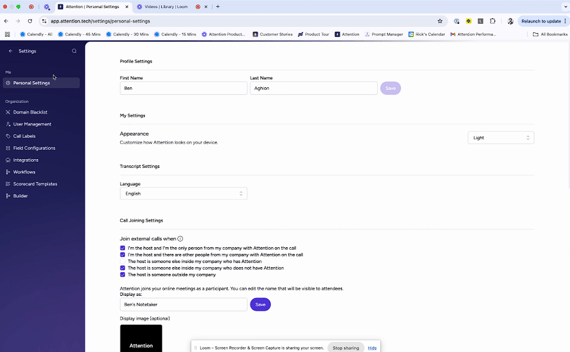 Attention is an AI-powered sales automation and conversation intelligence platform that analyzes sales conversations and automates follow-up work like CRM updates, coaching feedback, and outreach. The platform uses AI agents trained on a company’s best sales calls to help teams capture insights and improve deal execution.
Best For
- Updating CRM records after sales calls
- Generating AI follow-up emails and call summaries
- Providing real-time sales coaching during conversations
- Analyzing call transcripts and performance metrics
Features
Standout features include AI-powered call recording and transcription, automated CRM updates, AI-generated call summaries, follow-up email drafting, real-time sales coaching prompts, call scorecards, conversation analytics, and CRM integrations.
Pros
- “The data it collects has been invaluable in improving other aspects of my work.” – G2 user
- “The AI makes it effortless to research themes across all recorded channels so we can prioritize action confidently.” – G2 user
- “Its core features like automated call scoring and its integration with our CRM have saved GTM reps hours of manual work each week.” – G2 user
Cons
- “It needs a huge set up in the beginning in order to teach the AI tool what you need.” – G2 user
- “Does not have a full mobile app like other larger providers.” – G2 user
- “I would like to have better insights and visual insights on the reporting dashboard.” – G2 user
Pricing: Custom pricing available upon request
3. Navattic
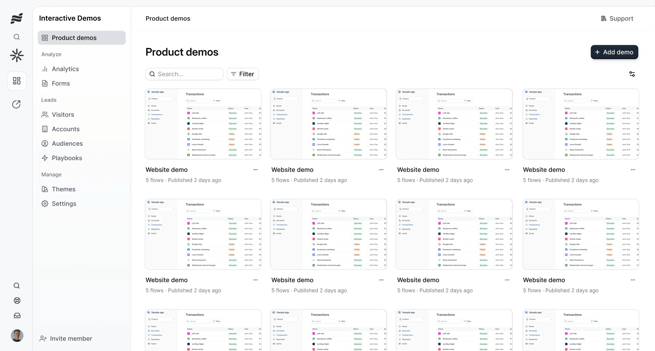
Navattic is an interactive demo platform that lets B2B teams create clickable, self-guided product demos that replicate their software experience. Using AI-assisted capture and editing, sales and marketing teams can quickly build hands-on product tours to share across websites, sales outreach, and campaigns.
Best For
- Creating no-code interactive product demos for SaaS products
- Embedding clickable product tours on websites and landing pages
- Sharing self-guided demos in sales outreach and marketing campaigns
- Personalizing demo experiences for different accounts or use cases
Features
Standout features include AI-assisted demo creation and editing, screenshot-based demo capture, drag-and-drop demo editing, branching demo flows and checklist-based product tours, personalization variables, engagement analytics, real-time alerts for demo views, and integrations with CRM and marketing tools.
Pros
- “It’s been especially useful for showcasing key workflows in a way that feels hands-on and effortless, and it’s helped us generate a ton of high-quality leads.” – G2 user
- “[Navattic] has become a cornerstone of our launch kits. We now use release-specific demos to help customers see new features the moment they’re launched.” – G2 user
- “Navattic is helping us bridge the gap between leads and our sales team… It has increased our conversion rate to live demo compared to instances when we don’t use the interactive demos.” – TrustRadius user
Cons
- “Sometimes slow loading times give a bad impression of the product during the demo.” – G2 user
- “The AI auto screen capture/descriptions are almost always inaccurate.” – G2 user
- “While desktop tours can work for mobile, they aren’t the most intuitive. In addition, the mobile-specific software tours are much less engaging.” – G2 user
- “There aren’t enough time-saving processes for repetitive tasks. Very manual and time-consuming.” – Gartner user
Pricing
- Starter: $0/month
- Starter Plus: $50/month
- Base: $600/month
- Growth: $1,200/month
- Enterprise: Custom pricing available upon request
4. Storylane
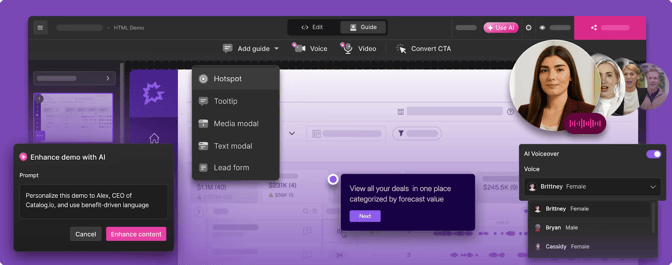
Storylane is another interactive demo platform that offers screenshot-based demo creation with interactive layers. Its built-in AI assistant helps generate demo scripts, refine step-by-step copy, and streamline the editing process. The platform also offers extensive customization and detailed engagement analytics.
Best For
- Building guided product walkthroughs that tell a structured product story
- Creating sandbox-style demo environments for hands-on product exploration
- Personalizing demo flows for specific buyers or accounts
- Giving buyers self-guided demos they can explore without a live sales call
Features
Standout features include no-code interactive demo creation, HTML and screenshot-based product capture, AI-assisted demo creation and editing, demo hubs for sharing multimodal content, engagement analytics and demo signals, and integrations with CRM and marketing platforms.
Pros
- “The ability to guide users through a product flow (without needing live calls for everything) has improved our lead generation.” – G2 user
- “It’s easy to duplicate a demo or duplicate a chapter to modify it.” – TrustRadius user
- “Well-suited for showing medium complexity demos and serving as a tee up to a future live demo.” – TrustRadius user
Cons
- “The biggest limitation… is that tours are designed primarily for desktop and don’t translate to mobile.” – G2 user
- “For companies with a large library of demos, the organization structure can feel a little basic, making it harder to manage, search, and navigate through a massive content library efficiently.” – G2 user
- “We stopped using it mainly because we couldn’t get the kind of data we needed to pass along to sales… For more qualified leads, we needed more detail.” – Reddit user
Pricing
- Free: $0/month
- Starter: $40/month
- Growth: $500/month
- Premium: $1,200/month
- Enterprise: Custom pricing available upon request
5. Walnut
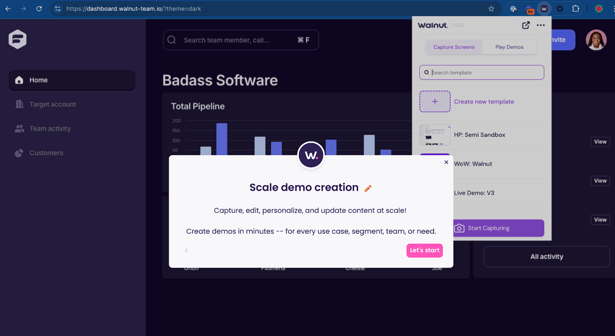
Walnut is a demo automation platform designed to give revenue teams full control over their product demos. It captures your product and turns it into a flexible demo environment you can reshape for different buyers, use cases, or deal stages. Teams can also use AI tools to generate demo scripts and sharpen messaging.
Best For
- Delivering tailored product demos for specific accounts or buying committees
- Equipping sales teams with flexible demo environments they can edit on the fly
- Repurposing one captured product environment into multiple demo scenarios
- Analyzing buyer behavior inside demos to surface high-intent opportunities
Features
Standout features include product environment capture and cloning, flexible screen editing and UI modification, AI-generated demo content and editing assistance, dynamic personalization variables, detailed engagement analytics, and integrations with CRM and sales enablement platforms.
Pros
- “It gives me complete control over my demos without relying on engineering.” – G2 user
- “Walnut is pivotal in warming up buyers, allowing them to self-serve with tools that are market and branding controlled.” – G2 user
- “The seamless integration with our CRM systems stands out as a major advantage, adding to the overall efficiency and cohesiveness of my workflow.” – G2 user
Cons
- “Customizing very complex or deeply interactive workflows can be challenging.” – G2 user
- “The analytics, while insightful, could go deeper into user behavior patterns to help fine-tune demo narratives.” – G2 user
- “The price increase between tiers is kind of steep.” – G2 user
Pricing
- Ignite: $750/month
- Accelerate: $1,550/month
- Scale: Custom pricing available upon request
Best for Sales Prospecting & Data Automation
Sales prospecting and data automation tools handle the heavy lifting behind building qualified pipelines. They surface the right accounts, enrich contact data, and help reps prioritize outreach based on signals that indicate real buying potential.
Notable tools include:
1. 6sense
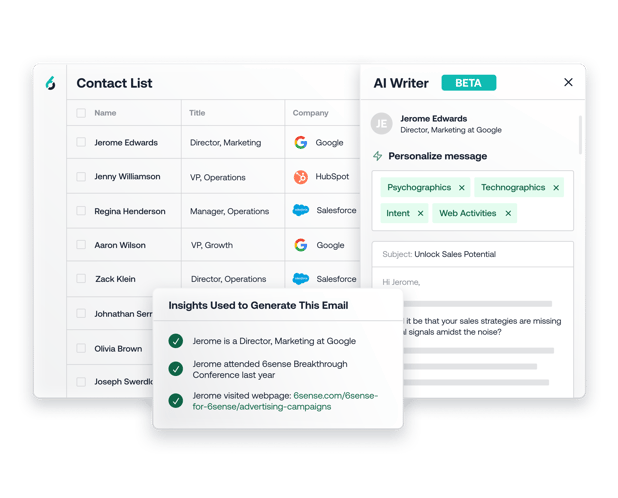
6sense is a revenue AI platform that uses predictive analytics and intent data to identify accounts showing buying signals, even before they reach out. The platform helps teams prioritize accounts based on likelihood to purchase and timing indicators derived from digital behavior patterns.
Features
Standout features include AI-driven account identification and prioritization, predictive buying stage insights, intent data aggregation, anonymous website visitor identification, account scoring and segmentation, sales alerts and recommended actions, and automated audience building.
Pros
- “It allows us to prioritize the right accounts and personas based on real intent signals, which is especially important in markets where volume is smaller and precision matters more.” – G2 user
- “I like the ability to get lead information and run sequences from the same platform.” – G2 user
- “What really sold me on this product was the ease of building different segments.” – Capterra user
Cons
- “Information isn’t always accurate, and filters aren’t robust enough or easy enough to use.” – G2 user
- “Some of the intent signals can feel a bit opaque, so it’s not always clear why an account is flagged as in-market.” – G2 user
- “Has some limitations when it comes to their global/international lead and contact data. In particular, cell phone numbers are limited.” – Capterra user
Pricing: Custom pricing available upon request
2. Clay
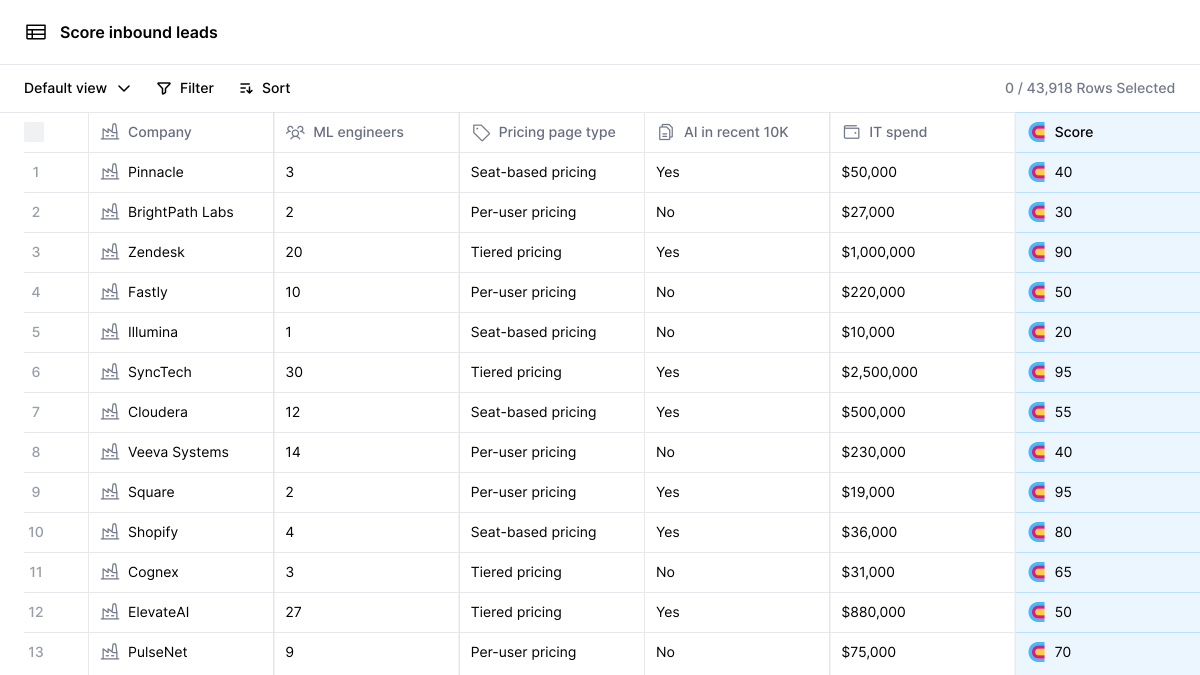 Clay is a data enrichment and prospecting platform that aggregates data from more than 50 sources to build detailed buyer profiles. Its spreadsheet-style interface lets sales teams automate buyer research and data enrichment workflows, helping them uncover insights and qualify leads without hours of manual investigation.
Features
Standout features include AI-assisted data extraction, waterfall enrichment across multiple providers, conditional logic for workflow automation, automated list building, enrichment scheduling, custom data pipelines, API access, and integrations with CRM and sales engagement platforms.
Pros
- “The tool allows me to work much faster and independently, completing tasks that used to take me two days in under an hour.” – G2 user
- “The enrichment features are especially helpful for organizing and qualifying contacts, and the ability to automate pieces of outreach saves a lot of time.” – G2 user
- “Integrations between systems are straightforward and easy to set up.” – G2 user
Cons
- “The learning curve is quite steep, making it challenging to start using.” – G2 user
- “With so many data sources and customization options, it can feel overwhelming until you fully understand how to structure workflows and avoid overusing credits.” – G2 user
- “It can become expensive very quickly and there is only pricing relief in terms of cost per credit on the highest plan.” – G2 user
Pricing
- Free: $0 per month
- Starter: $134 per month
- Explorer: 314 per month
- Pro: $720 per month
- Enterprise: Custom pricing available upon request
3. HubSpot Breeze
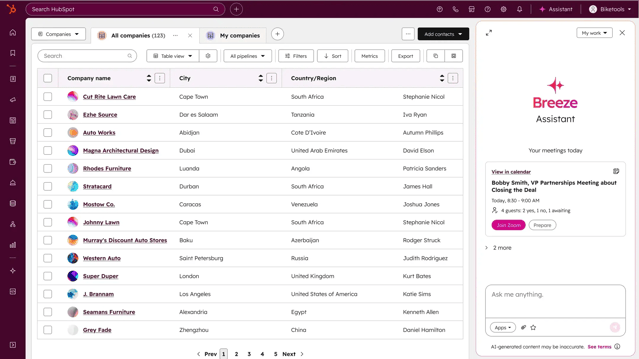
HubSpot Breeze is HubSpot’s AI engine designed to automate routine sales, marketing, and customer service work directly within the HubSpot platform. For sales teams, it analyzes CRM activity and customer data to surface insights, prepare reps for conversations, and reduce the manual work that slows down pipeline management.
Features
Standout features include AI-powered buyer research briefs, automated email and outreach drafting, meeting and call summaries, CRM data enrichment, predictive lead scoring, AI-generated reports and insights, workflow automation assistance, and native integration across HubSpot’s CRM, marketing, and service hubs.
Pros
- “Being able to view the companies that have visited our website has been fantastic.” – G2 user
- “The onboarding experience is streamlined and well-documented.” – TrustRadius user
- “The call summaries are awesome and pretty much eliminates the need to review the whole transcript.” – Reddit user
Cons
- “The data can sometimes be outdated and inaccurate.” – Capterra user
- “Can be expensive for smaller teams, and some advanced enrichment features are locked behind higher-tier plans.” – G2 user
- “It takes some time to navigate and fully utilize its features effectively.” – G2 user
Pricing: Some Breeze features are free to start using, while advanced AI capabilities are included in premium HubSpot packages. Pricing depends on the broader package or your selected Breeze features.
4. Dealfront
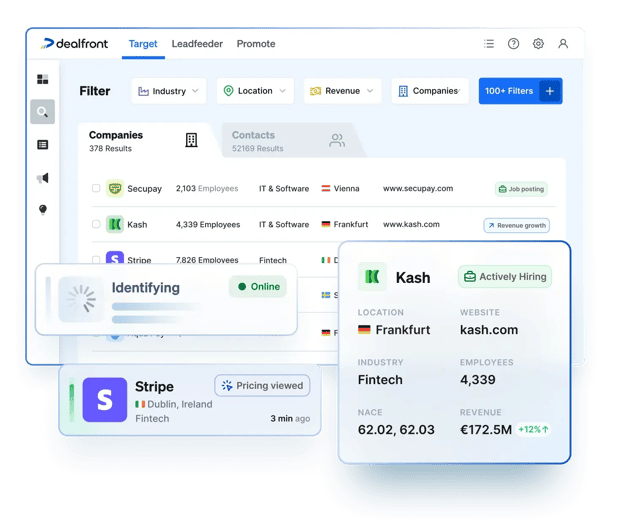 Dealfront provides sales intelligence and website visitor identification with strong coverage in European and global markets. The platform focuses on identifying companies visiting your website and providing contact information for decision-makers.
Features
Standout features include website visitor identification, B2B contact and company data enrichment, intent data signals, account and lead filtering, target account list building, sales trigger alerts, account insights and firmographic data, pipeline analytics, and integrations with CRM and sales engagement platforms.
Pros
- “Dealfront has significantly improved our sales and marketing workflows.” – G2 user
- “It offers a wide range of filters, and also provides the option to use AI assistance to help identify our ideal customers.” – G2 user
- “You get to see who’s already warm and hand them straight to sales for follow-up.” – Reddit user
Cons
- “I don’t particularly enjoy the credit system limiting the exports of the contacts.” – G2 user
- “Dealfront gives you leads, but then you’re on your own.” – Reddit user
- “Bad data turns outbound into a slot machine.” – Reddit user
Pricing: Custom pricing available upon request
5. ZoomInfo
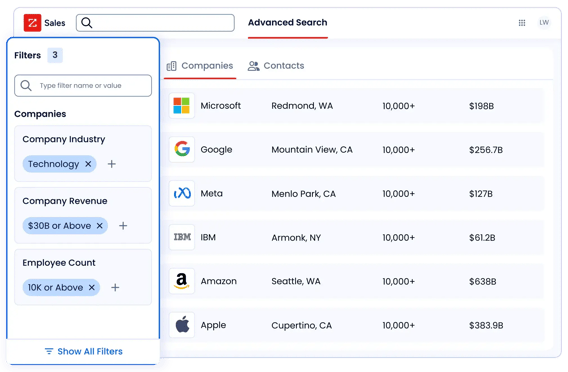
ZoomInfo is a B2B intelligence platform that helps sales teams identify high-value accounts and reach the right decision-makers. Its AI-driven insights analyze intent and engagement signals to surface companies already researching solutions, giving reps a clearer picture of where to focus outreach.
Features
Standout features include extensive contact and company data, advanced buyer and account filtering, automated list building, sales trigger alerts, website visitor identification, conversation intelligence, pipeline analytics, and integrations with CRM, marketing automation, and sales engagement platforms.
Pros
- “The detail on prospective customers is amazing. We have never had this much accurate data to utilize for our growth plans.” – TrustRadius user
- “I'm able to apply settings to specific accounts to receive alerts on company updates that are relevant to my role, making it easier to reach out.” – Capterra user
- “I enjoy the fact that [ZoomInfo] gives you scoops and intent signals on companies you’re trying to prospect.” – Capterra user
Cons
- “Contact accuracy can vary, especially for niche roles or smaller companies.” – G2 user
- “It would be helpful to have more granularity on industries… I find that I need to examine 3-4 industries to meet the data needs for my specialization.” – G2 user
- “If the company name you provide doesn't perfectly match ZoomInfo’s specific formatting, the system simply returns no results.” – G2 user
Pricing: Custom pricing available upon request
Best for Pipeline Management & Revenue Intelligence
Designed for sales leaders and RevOps teams, pipeline management and revenue intelligence tools turn pipeline data into actionable insights. They surface the signals behind every deal, including momentum, risk, and when leaders should intervene.
Here are several that stand out:
1. Clari
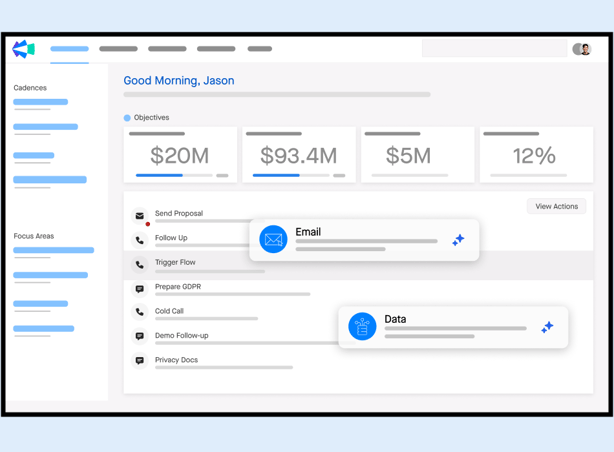
Clari is a revenue platform that provides AI-powered forecasting, pipeline management, and revenue intelligence to help sales leaders predict and manage revenue with unprecedented accuracy. The platform connects data from CRM, email, calendar, and other sources to provide a complete view of deal health and forecast precision.
Features
Standout features include deal inspection and activity tracking, risk and opportunity alerts, automated pipeline updates, revenue trend analysis, scenario planning, sales activity capture, pipeline coverage analysis, and integrations with major CRM and sales productivity tools.
Pros
- “I get quick insights into my quarterly targets and the deals I need to close, and the way Clari classifies deals by forecast category makes everything much easier.” – G2 user
- “The visibility into week-over-week pipeline movement, deal health, and rep activity helps us spot risk early and keep leaders aligned.” – G2 user
- “Clari does a great job recording calls in different languages and making summaries that you can review later.” – Capterra user
Cons
- “Sometimes it feels like there’s a lot of groundwork required on our side to align everything before we can fully leverage Clari’s capabilities.” – G2 user
- “You have to narrow down calls using conditional logic, which isn’t necessarily a dealbreaker, but it can add friction when you’re trying to find something specific.” – G2 user
- “When multiple people are speaking on a call, the transcripts can get mixed up, making it harder to follow the conversation afterward.” – G2 user
Pricing: Custom pricing available upon request
2. Gong
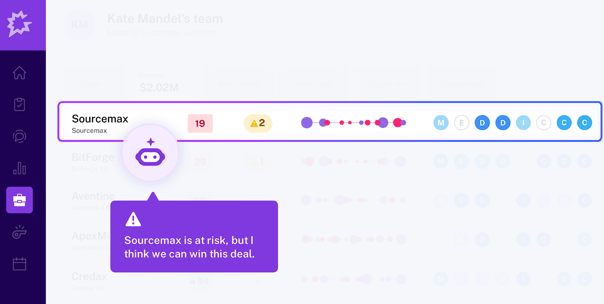
Gong is a revenue intelligence platform that captures customer interactions across calls, emails, and meetings to reveal insights on deals, rep performance, and market trends. AI surfaces patterns within those interactions, highlighting deal risks, winning behaviors, and competitive signals that inform sales strategy and coaching.
Features
Standout features include automatic capture of calls, emails, and meetings, conversation transcription and searchable interaction libraries, deal inspection and pipeline visibility, rep coaching insights, call scorecards and performance benchmarking, competitive mention tracking, sales activity analytics, and integrations with major CRM and sales engagement platforms.
Pros
- “It turns real customer conversations into clear, actionable insights.” – G2 user
- “Being able to review calls, see key moments, and understand what actually happened in a deal is incredibly valuable.” – G2 user
- “Gong search is great and there are a lot of filters that you can use to help you find what you need.” – TrustRadius user
Cons
- “The transcript isn’t always 100% correct, especially when someone talks fast or there’s background noise.” – G2 user
- “Sometimes the AI summary emails miss the most important parts of the convo so I feel like I'm always having to revamp those.” – G2 user
- “The recorder doesn't always join the meeting right away and will randomly join a few minutes in, which can be confusing for clients and throw off the groove of the call.” – Capterra user
Pricing: Custom pricing available upon request
3. Pipedrive
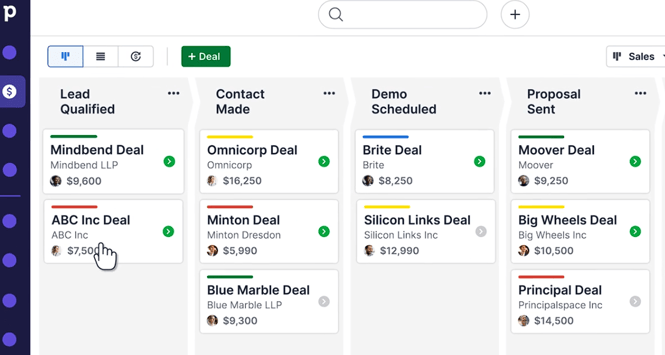
Pipedrive is a sales-focused CRM designed around visual pipeline management, built by salespeople for salespeople with simplicity as a core principle. AI-powered insights help reps prioritize deals, automate routine tasks, and identify the next best actions to keep opportunities moving forward.
Features
Standout features include visual drag-and-drop pipeline management, customizable deal stages, activity scheduling and reminders, email integration and tracking, workflow automation for repetitive tasks, sales reporting dashboards, contact and deal management, and integrations with marketing, communication, and productivity tools.
Pros
- “It’s refreshing to have a CRM that’s genuinely easy to use while still letting me track everything at a very granular level.” – G2 user
- “It actively reminds me of prospects that are stalled and can set up automations to help progress them forward.” – Capterra user
- “It’s very easy to customize your own sales funnel.” – TrustRadius user
Cons
- “The automation options are helpful, but they can be restrictive if you want more complex workflows.” – G2 user
- “Some reports we generate could be a bit more detailed and intuitive.” – G2 user
- “There’s a lot of features you have to pay extra for.” – G2 user
Pricing
- Lite: $24/month per seat
- Growth: $49/month per seat
- Premium: $79/month per seat
- Ultimate: $99/month per seat
4. Salesdrive
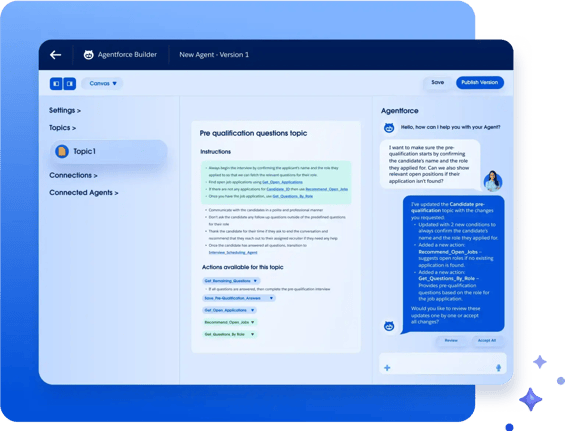
Salesforce is the market-leading CRM platform offering comprehensive sales, service, and marketing capabilities with extensive customization and integration options. The platform's AI features provide predictive lead scoring, opportunity insights, and automated workflows that help teams work more efficiently.
Features
Standout features include highly customizable sales pipelines, advanced reporting and dashboards, territory and account management, workflow and approval automation, enterprise-grade security and permissions, and extensive third-party integrations.
Pros
- “What I like most about Salesforce is how it centralizes the entire sales process in one place.” – G2 user
- “The depth of customization is unmatched; we’ve been able to build complex workflows and custom objects that fit our specific sales cycle perfectly.” – Capterra user
- “The automation options help streamline daily sales activities and improve overall productivity for the team.” – G2 user
Cons
- “For new users, the learning curve can feel steep, especially when trying to use advanced features like automation and reporting.” – G2 user
- “It can sometimes feel complex and heavy to use on a daily basis.” – G2 user
- “The overall cost can be high for smaller teams.” – G2 user
Pricing
- Free Suite: $0/month for a maximum of 2 users
- Starter Suite: $25/month per user
- Pro Suite: $100/month per user
- Enterprise: $175/month per user
- Unlimited: $350/month per user
- Agentforce 1 Sales: $550/month per user
Best for CRM & Sales Workflow Automation
Designed to serve as the central hub for sales teams, CRM and sales workflow platforms store and manage customer data while automating the routine tasks that consume valuable selling time.
Several strong options include:
1. HubSpot Sales Hub
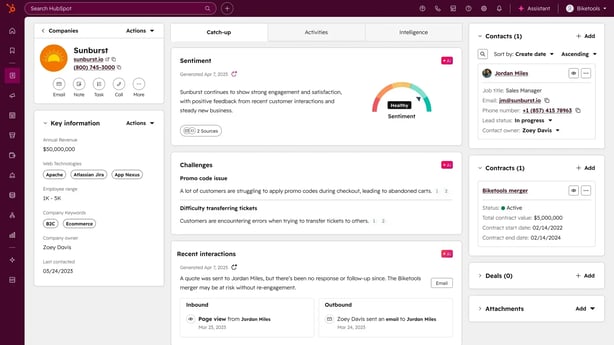
HubSpot Sales Hub is an all-in-one sales CRM designed to help teams manage deals, track communication, and automate routine sales work in a single system. Built-in AI works behind the scenes to interpret CRM activity and customer data, helping reps understand what’s happening across their deals and where to focus next.
Features
Standout features include visual deal pipeline management, email tracking and meeting scheduling, sales automation workflows, AI-powered email drafting and conversation summaries, call logging and conversation intelligence, lead and deal reporting dashboards, and integrations with marketing, service, and third-party productivity tools.
Pros
- “I need a quick way to understand what’s happening across the team’s pipeline… Instead of asking everyone for updates, I can review the information directly in the system and get a realistic picture of the week’s progress.” – G2 user
- “Being able to see when a customer opens an email or clicks a link gives me the insight I need to reach out at the right moment.” – G2 user
- “With the CRM layered into everything, it’s easy to track contact/company activity and keep your teams on track with follow ups.” – Capterra user
Cons
- “The implementation of workflows is tedious.” – Capterra user
- “Advanced forecasting and territory management may not meet the needs of large, complex sales teams.” – Capterra user
- “As soon as you start adding more users or unlocking advanced features, the cost rises quickly.” – G2 user
Pricing: HubSpot offers a range of tools and packages for driving the best results for your sales, marketing, and presales teams using AI. Sales software pricing is as follows:
- Sales Hub Starter: $20/month per seat
- Sales Hub Professional: $100/month per seat
- Sales Hub Enterprise: $150/month per seat
2. Zapier
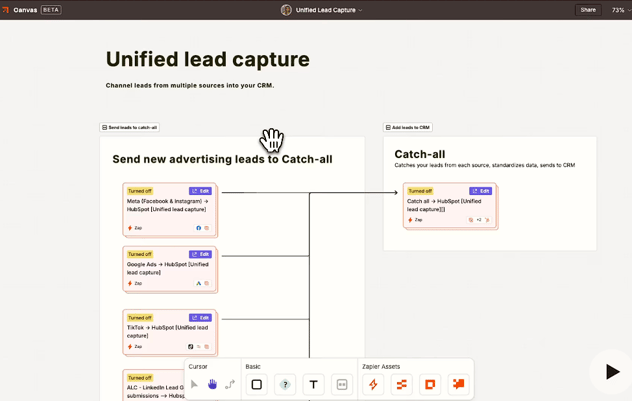
Zapier is a no-code integration platform that connects thousands of apps and automates the busywork that slows sales teams down. Its AI-powered workflow generation translates natural-language prompts into working automations, making it possible to build multi-step workflows across an entire sales stack without manually configuring every step.
Features
Standout features include visual workflow builders for multi-step automations, conditional logic and branching workflows, prebuilt automation templates, scheduled triggers, webhook support, task history and error monitoring, role-based access controls, and integrations across thousands of SaaS applications.
Pros
- “The no-code interface, step-by-step Zap builder, and clear testing process make implementation fast, even for non-technical users.” – G2 user
- “It has significantly boosted my productivity by reducing the need for manual data transfers between tools.” – G2 user
- “Zapier’s AI Copilot is a revelation; I can build complex, multi-step Zaps just by describing them in plain English.” – Capterra user
Cons
- “There is a bit of a learning curve to figure out how to use it and create automations correctly.” – G2 user
- “There could be a little more information and guidance as to what is making a zap fail.” – G2 user
- “I don't like the fact that it is not mobile friendly and reporting takes time to show on your activities.” – Capterra user
Pricing
- Free: $0/month
- Professional: From $29.99/month
- Team: From $103.50/month
- Enterprise: Custom pricing available upon request
3. Zoho CRM
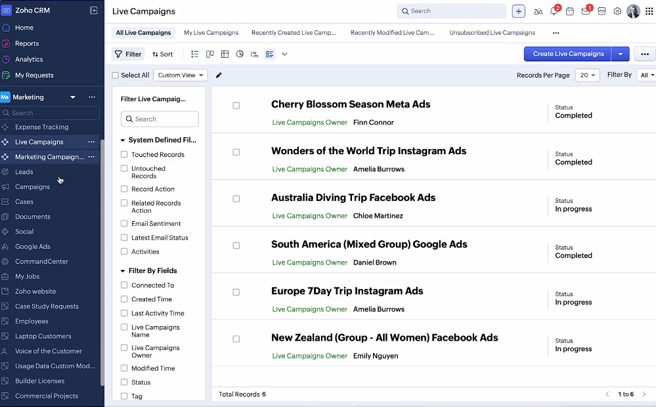
Zoho CRM is a sales management platform designed to help teams track deals, manage customer relationships, and automate routine sales processes. The system features an AI sales assistant that analyzes CRM activity and pipeline data to surface insights on deal progress and sales performance.
Features
Standout features include customizable sales pipelines, workflow automation and approval routing, lead scoring and territory management, forecasting and reporting dashboards, email and activity tracking, conversation intelligence for calls and meetings, and integrations with Zoho apps and third-party tools.
Pros
- “For teams seeking control without enterprise bloat, Zoho CRM is incredibly flexible and affordable.” – G2 user
- “I appreciate the integrations with other tools, which make it easy to keep all customer data aligned and up to date.” – G2 user
- “It’s an excellent solution for companies with a lot of data and on a tight budget.” – TrustRadius user
Cons
- “Getting started with the initial setup and configuration can be quite complex and take a significant amount of time.” – G2 user
- “I’ve noticed occasional lag and slow loading, particularly when working with very large amounts of data or generating complex reports.” – G2 user
- “Some of the reporting features could use a little more flexibility to allow more filtering options within the report without creating multiple reports for each salesperson.” – TrustRadius user
Pricing
- Free: $0/month for up to 3 users
- Standard: $20/month per user
- Professional: $30/month per user
- Enterprise: $50/month per user
- Ultimate: $52/month per user
4. Monday CRM
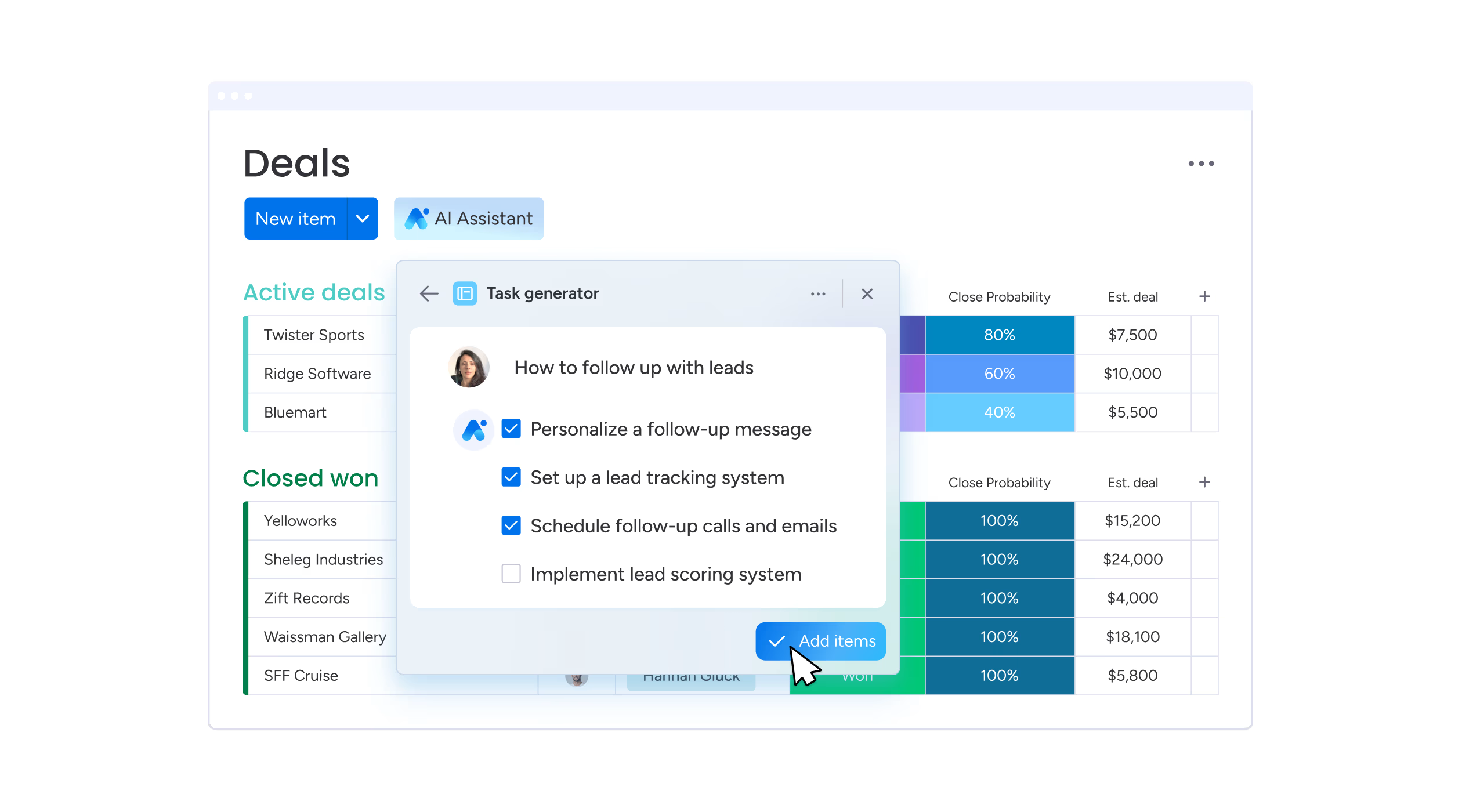
Monday CRM turns the Monday.com workspace into a sales pipeline you can see and manage at a glance. Automation recipes handle routine updates and handoffs in the background, while AI summarizes changes and surfaces patterns in deal activity, giving reps a quick read on deal momentum and where attention is needed.
Features
Standout features include visual pipeline boards, customizable sales workflows, automation rules, activity and deal tracking, collaborative workspaces for sales teams, customizable reporting dashboards, and integrations with communication, marketing, and productivity tools.
Pros
- “It’s very visual and straightforward, so our whole team can jump in without much training.” – G2 user
- “For sure the best part is how quickly we got it up and running, with no consultants or long setup.” – Capterra user
- “The mass email option for our contact list has been a game changer for building relationships.” – Capterra user
Cons
- “I find the quotes and invoices feature of monday CRM lacking.” – G2 user
- “The price can feel steep when you’re just trying to stay organized without blowing your whole budget on the tool that helps you stay organized.” – G2 user
- “Setting up automations can be complicated.” – TrustRadius user
Pricing
- Basic: $12/month per seat
- Standard: $17/month per seat
- Pro: $28/month per seat
- Ultimate: Custom pricing available upon request
Best for Sales Outreach & Cadence Automation
Modern outbound sales depend on consistent, well-timed outreach across multiple channels. Cadence automation platforms structure and automate interactions so sales teams can scale outreach without losing the personal touch that drives replies.
A few platforms that stand out:
1. Vanillasoft
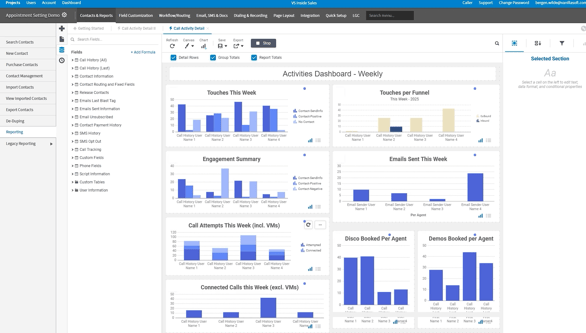
VanillaSoft is a sales engagement platform focused on queue-based lead routing and cadence management designed specifically for high-velocity inside sales teams. The platform prioritizes speed-to-lead and systematic follow-up, ensuring no buyer falls through the cracks in fast-paced sales environments.
Features
Standout features include queue-based lead distribution, priority-driven lead routing, built-in sales cadences, auto-dialing and call recording, real-time lead prioritization, email and SMS outreach, lead tracking dashboards, and integrations with CRM and marketing systems.
Pros
- “The auto-dialing and queue-based system removes the guesswork from who to call next, which helps maximize productivity and maintain momentum throughout the day.” – Signitic dashboard
- “I like the callback features where you can post what your clients have said and save it in the notes.” – G2 user
- “I love how it shows you if your email was opened and when.” – G2 user
Cons
- “The interface feels a bit clunky and not very intuitive at first, so the learning curve is real.” – G2 user
- “I don’t like how long you have to wait to move onto the next lead even if they don’t answer or it goes straight to voicemail.” – G2 user
- “The site doesn't render well on mobile devices.” – G2 user
Pricing: Custom pricing available upon request
2. Signitic
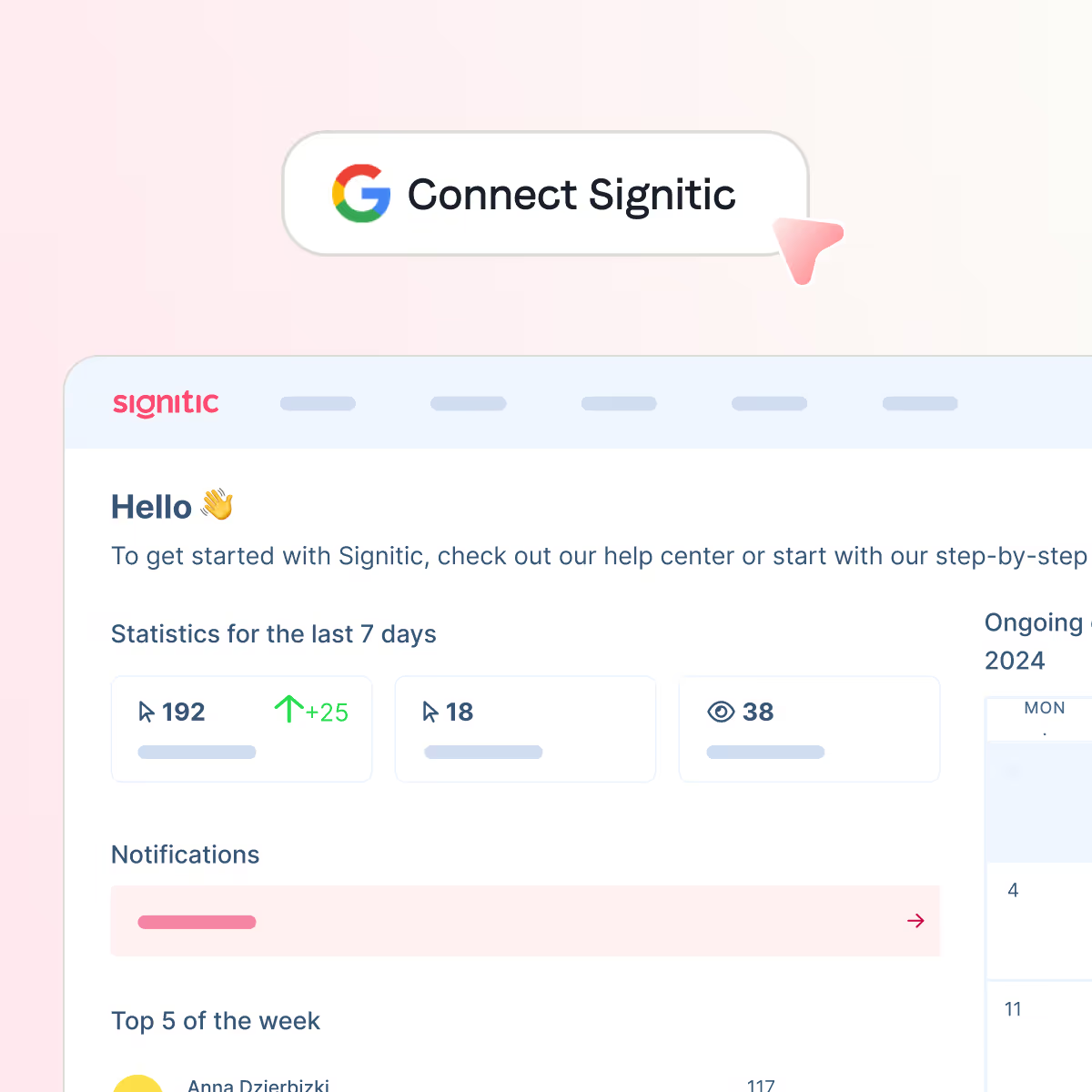
Signitic is an email signature management platform that turns everyday employee emails into a scalable marketing and sales channel. AI and automation make it easy to deploy dynamic signatures, run targeted campaigns, and track engagement across every employee inbox.
Features
Standout features include centralized signature management, AI-assisted campaign creation, dynamic banner campaigns, automated signature deployment, campaign analytics, audience segmentation, brand controls, and Google Workspace and Microsoft 365 integrations.
Pros
- “The weekly email with the statistics is very useful for monitoring the signatures.” – G2 user
- “It allows us to be more impactful in our communications with clients and partners.” – G2 user
- “The pricing is transparent and competitive, making it an accessible solution even for medium-sized organizations.” – G2 user
Cons
- “The template customization could be a bit more flexible for advanced designs.” – G2 user
- “Does not provide a way to create banners directly into Signitic. I have to do it through another service.” – G2 user
- “Sometimes it's a bit complex to understand the various features.” – G2 user
Pricing:
- Free: €0/month per user (for up to 19 users)
- Standard: €1/month per user (from 20 users)
- Custom: Custom pricing available upon request
3. LeadFuze
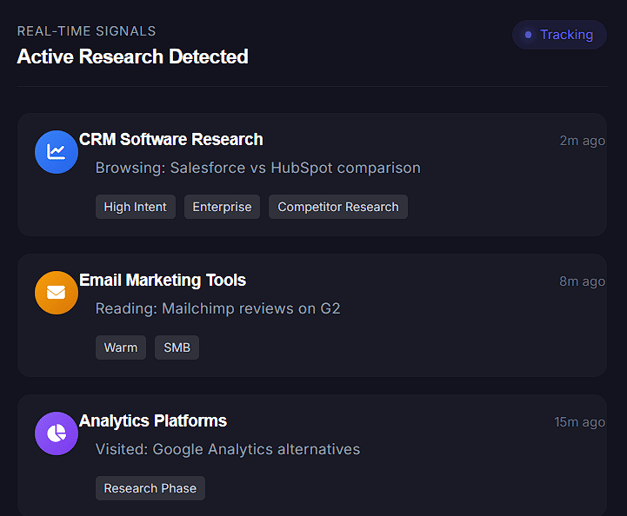
LeadFuze is a lead generation platform that uses AI to find and verify contact information for buyers who match your ideal customer profile. The system continuously builds targeted lead lists using your criteria, pulling from multiple data sources to surface the right buyers and remove the need for manual research.
Features
Standout features include AI-driven buyer discovery, automated lead list building, contact verification, firmographic and technographic filtering, continuous lead list updates, account and contact enrichment, list export and CRM syncing, and integrations with major sales and marketing platforms.
Pros
- “LeadFuze saves us time since we do not have to search for leads from several different sources.” – TrustRadius user
- “Easy to use and find businesses using many filter options.” – Capterra user
- “It’s quite effective for finding local businesses and can sometimes include owner names or at least key decision-makers.” – Reddit user
Cons
- “Seaching is easy, but results on other countries (except US) is very limited.” – G2 user
- “They only allow you to upload a small number of people to your list at a time.” – G2 user
- “The pricing is a little high.” – G2 user
Pricing
- Unlimited: $397/month
- Scaling: $497/month
- Custom: Custom pricing available upon request
4. Outreach
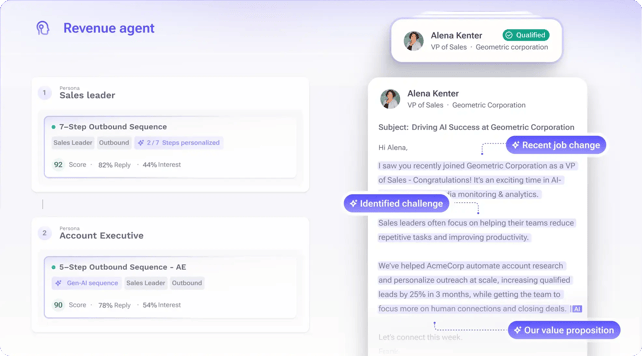
Outreach is a sales execution platform built to run consistent, multi-step outreach across email, phone, and social channels. AI analyzes engagement signals and deal activity to recommend next actions and highlight the buyers most likely to respond.
Features
Standout features include multi-channel sales sequences, automated follow-up cadences, email and call tracking, AI-driven deal insights, conversation intelligence, meeting scheduling, performance analytics, and integrations with CRM and sales productivity tools.
Pros
- “It's the best tool to use for prospecting at scale.” – Capterra user
- “Supports multichannel engagements. Our sales team can engage prospects via email, phone, and LinkedIn within a single platform.” – G2 user
- “I love the Gmail integration, specifically because I can see when and how often a customer opens an email.” – G2 user
Cons
- “I wish the actual sequences themselves didn't need to be approved by my admins. That process causes delays and adds extra steps to my workflow.” – G2 user
- “All of the bells and whistles can be overwhelming when you want to complete a simple task.” – Capterra user
- “Mobile app feature is still quite limited, travelling sales reps find it hard to complete the task or make calls.” – TrustRadius user
Pricing
- Amplify Core: Pricing available upon request
- Amplify Plus: Pricing available upon request
- Amplify Pro: Pricing available upon request
5. Default
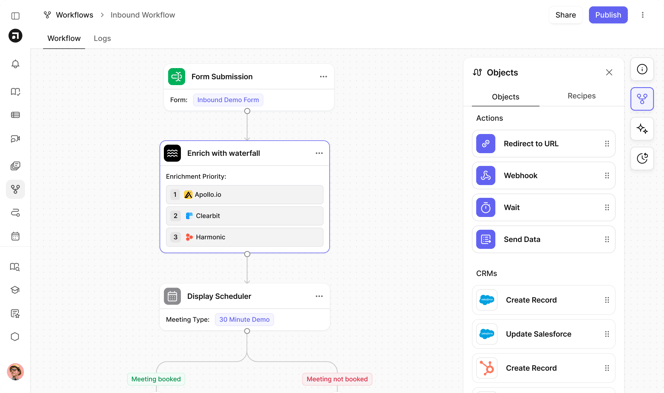
Default is an AI-powered sales engagement platform that automates personalized outreach at scale while maintaining authenticity. The platform analyzes buyer data from multiple sources (LinkedIn profiles, company news, social media activity) to generate talking points and messaging angles that resonate with each individual recipient.
Features
Standout features include AI-generated outreach messaging, automated buyer research across multiple data sources, personalized email and LinkedIn sequence creation, dynamic messaging variables, and multi-channel sales cadences.
Pros
- “Default made it way easier for us to manage PLG lead routing without duct-taping everything together.” – G2 user
- “I like how Default makes it very easy to quickly set up new routing workflows and decision trees in a no-code manner.” – G2 user
- “The platform integrates smoothly with the other systems we use.” – G2 user
Cons
- “Takes a lot of front-loaded work to get the workflows production ready.” – G2 user
- “Styling functionalities are extremely limited, and everyone’s forms look exactly the same.” – G2 user
- “UI could be a lot better on the app front.” – G2 user
Pricing
- Startup: From $750/month
- Growth: Custom pricing available upon request
- Enterprise: Custom pricing available upon request
Best for CPQ, Proposals & Sales Document Automation
Slow quotes and messy approval chains can stall deals at the exact moment buyers are ready to move forward. CPQ and document automation platforms eliminate that friction by generating pricing, proposals, and contracts automatically.
Below are some of the most capable options:
1. DealHub
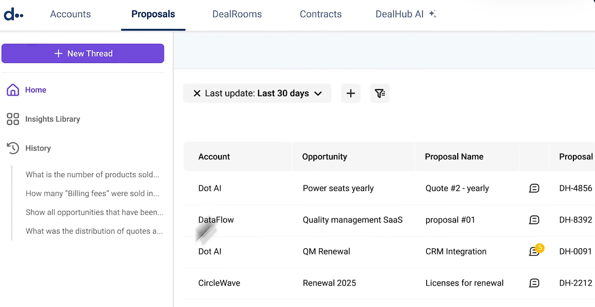
DealHub is a unified revenue platform that brings CPQ (Configure, Price, Quote), proposal creation, contract management, and subscription billing into a single system. AI analyzes deal data and pricing inputs to guide sellers through complex quoting scenarios, keeping pricing accurate while reducing the delays that typically slow enterprise sales cycles.
Features
Standout features include guided selling and deal configuration, dynamic quote and proposal generation, automated approval workflows, configurable pricing rules, subscription and billing management, digital contract execution, revenue analytics dashboards, and integrations with CRM and financial systems.
Pros
- “The interface is very clean and simple and it helps to speed up the whole sales process.” – G2 user
- “Proposal configuration can be tailored to ask precise questions based on specific transactions, which means we don't ask our sellers to answer irrelevant questions in the quoting process.” – G2 user
- “The product is highly flexible and powerful enough to handle our complex pricing and configuration requirements.” – Capterra user
Cons
- “DealHub is powerful, but that power comes with complexity. Defining products, bundles, discount limits, approval thresholds can be challenging.” – G2 user
- “Its audit capabilities aren’t very efficient, as it lacks in-depth insights and comprehensive auditing features.” – G2 user
- “Some advanced features might be a bit too complex for smaller teams or businesses that don’t need every capability.” – G2 user
Pricing: Custom pricing available upon request
2. Docusign
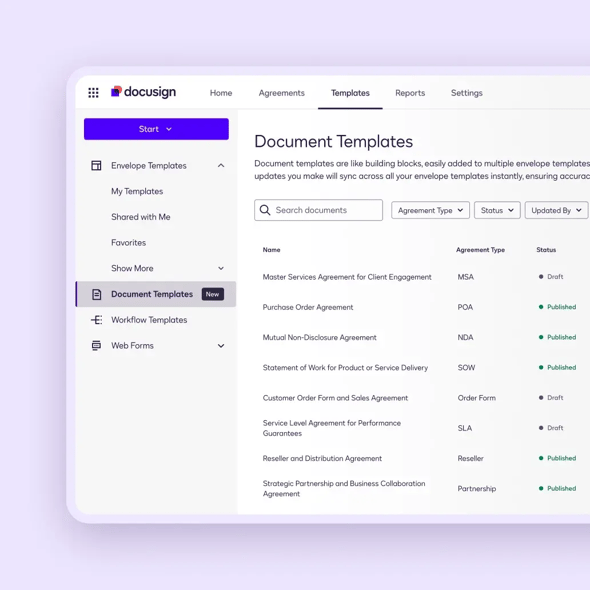
DocuSign is a digital agreement service that replaces printing, scanning, and emailing contracts with a faster online signing process. It now covers more of the agreement lifecycle, with AI that reads contracts to surface key terms, highlight risks, and make agreements easier to review.
Features
Standout features include electronic signatures, reusable templates, automated approval routing, contract lifecycle management, agreement analytics, audit trails, secure storage, and CRM integrations.
Pros
- “Implementation is very straightforward and doesn’t require much technical effort.” – G2 user
- “I like that it works well on both laptop and mobile.” – G2 user
- “One of the most useful features is a notification system since I tend to forget that I have documents pending for signature unless I get an email.” – Capterra user
Cons
- “Cannot update forms, requiring a new form to be created.” – G2 user
- “The pricing structure is quite complex and not very transparent, which makes budgeting difficult.” – G2 user
- “Sometimes the signature does not resemble in the least bit my actual signature, which is the whole point of leaving a signature.” – Capterra user
Pricing
- IAM Starter: $65/month per user
- IAM Standard: $75/month per user
- IAM Professional: $95/month per user
- Enhanced Plans: Custom pricing available upon request
The Future of Sales Automation Software and AI
Sales automation software is entering a new phase. What started as a tool for reducing manual work is becoming a core part of how modern deals move forward. As AI continues to reshape the category, the advantage will go to teams that use automation not just to save time, but to make buying easy.
Features that once defined sales automation—basic sequences, reminders, and rule-based workflows—are already becoming table stakes. What’s emerging instead are platforms that combine automation with intelligence, helping sales teams better understand buyer behavior and respond at the right moment.
AI-powered demo automation tools reflect this shift. Platforms like Consensus give buyers immediate access to product demos and show sales teams exactly how buyers engage with the product, bridging the gap between early interest and meaningful sales conversations. Because if there’s one thing that hasn’t changed, it’s that conversations keep deals moving.
Try a Consensus demo to discover how leading sales teams are closing deals faster with AI-driven product demos.

.webp)