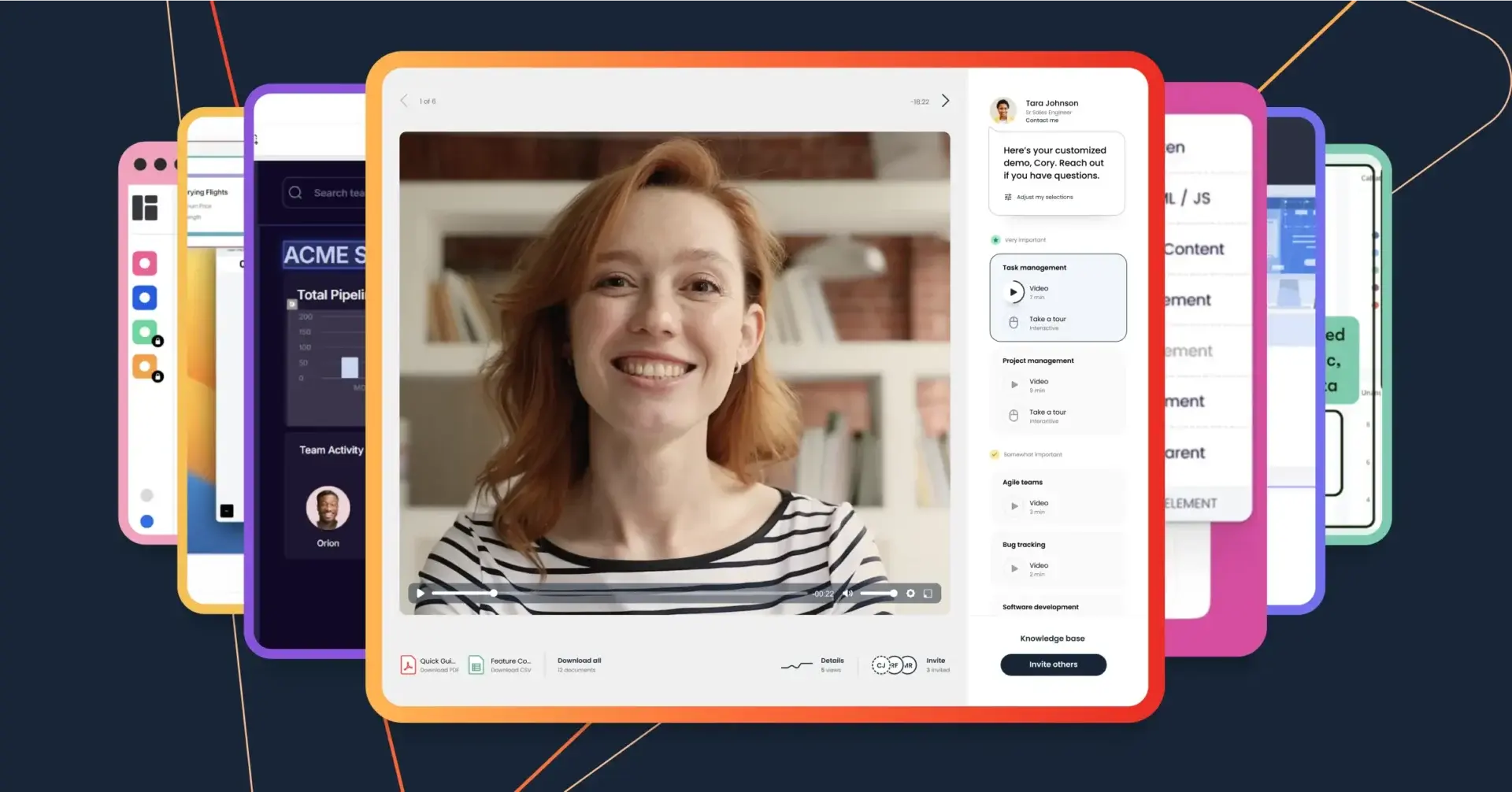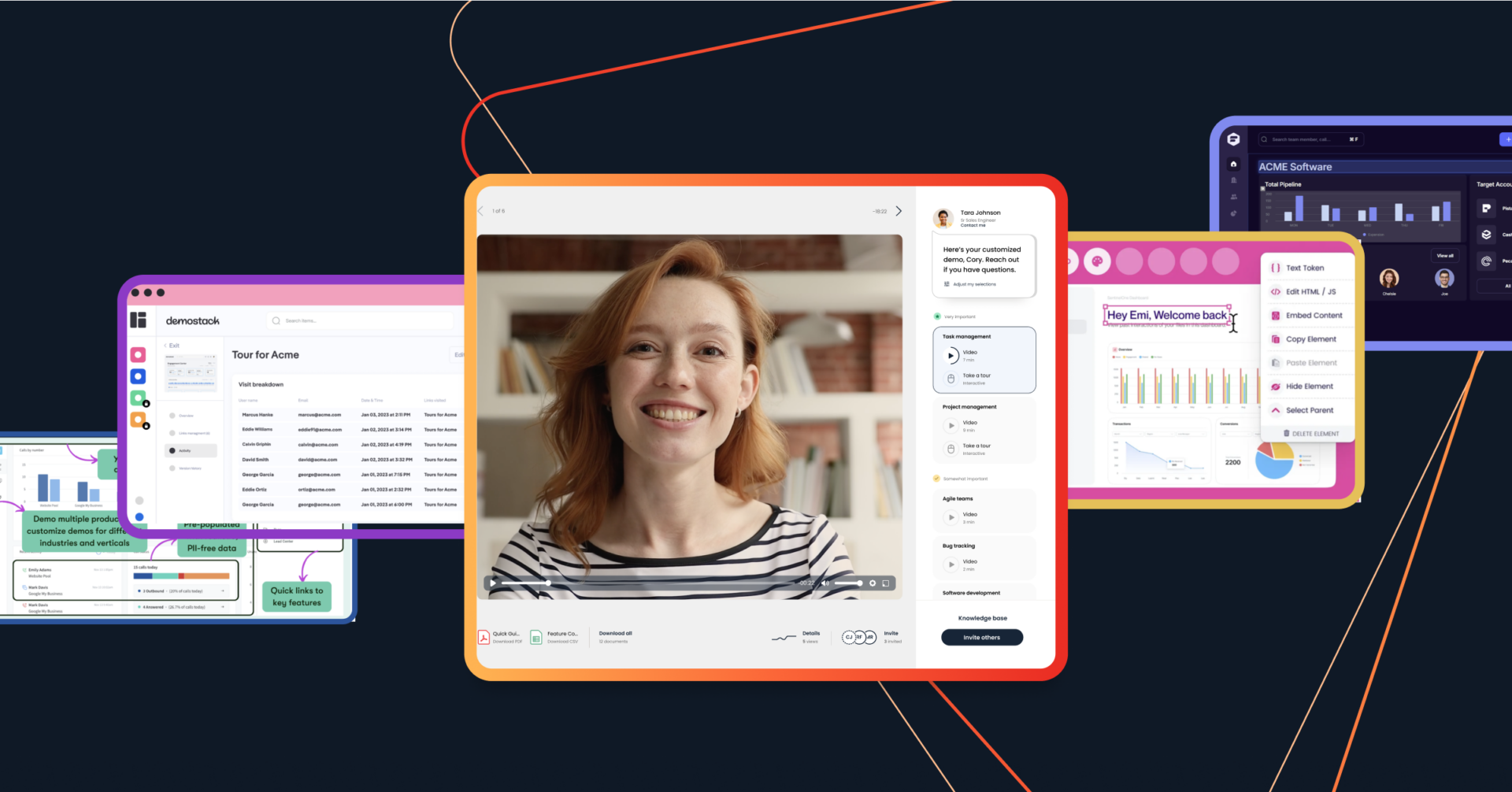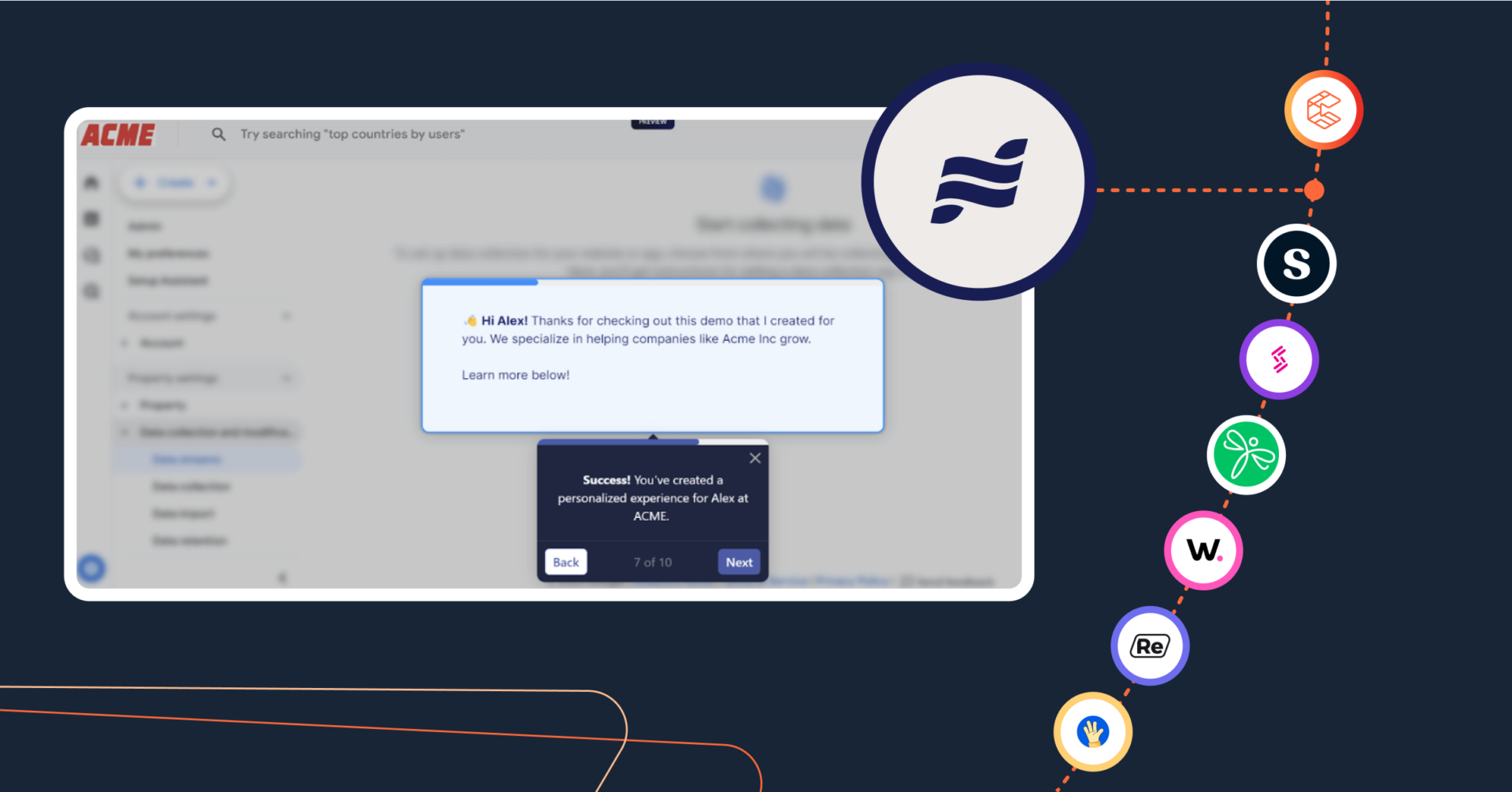

Research shows that B2B buyers don’t interact with a company’s sales team until they are already 70% of the way through their buyer journey. Today’s buyers prefer to independently do research, assess products, and evaluate features—without feeling like they’re being sold to.
But, even if you’re not there to guide your potential buyers, you want to make sure they’re having an engaging experience with your product. That’s where interactive demo software comes in.
Effective interactive demos let your buyers explore the product, learn how to use it, and visualize how it can help them—all on their own time. In this article, we’ll review what interactive demo software is, how it benefits internal teams and buyers, and the best interactive demo software out there.
Top Interactive Demo Platforms: Ranked
Interactive demo platforms are reshaping how sales and marketing teams engage modern buyers. Instead of relying solely on live demos, teams can now deliver personalized, self-guided experiences that highlight what matters most to each stakeholder.
Here’s a breakdown of the leading platforms, their standout features, and who benefits most from using them:
|
Platform |
Key Feature |
Best For |
|
Consensus |
AI-powered demo automation and intent data |
Enterprise B2B sales teams |
|
Storylane |
AI-enhanced guided demos |
PLG and product marketing teams |
|
Navattic |
Self-guided demo cloning |
SaaS marketing teams |
|
Walnut |
Deal intelligence and demo personalization |
Sales and presales teams |
|
Chameleon |
Product adoption and tours |
SaaS onboarding and growth |
|
Demoboost |
Flexible demo capture and analytics |
Mid-market SaaS |
|
Demostack |
Full sandbox demo environments |
Complex enterprise software |
|
Omedym |
Digital sales rooms and searchable content |
Content-heavy sales cycles |
|
ScreenSpace |
Narrative-driven interactive demos |
Product storytelling |
|
Supademo |
AI-generated product tours |
Fast-moving startups |
|
Tourial |
Screenshot-based interactive demos |
Sales enablement teams |
What is Interactive Demo Software?
You’re not with your buyer for 83% of their buyer journey. During that time, you still need to provide them with the right tools to learn about your product on their own. Enter: Interactive demo software. Interactive demo software bridges the gap by offering buyers a dynamic, self-guided experience that mimics a live demo without requiring a live representative.
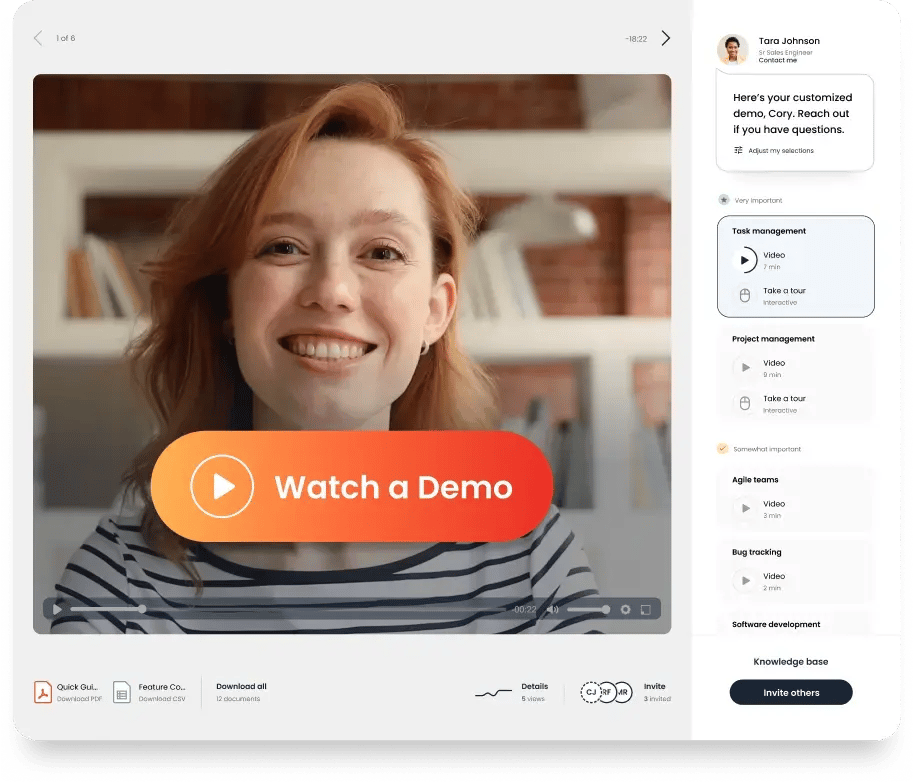
Whether you’re showcasing a complex B2B solution or a versatile SaaS product, interactive demos are a game-changer for delivering personalized, memorable experiences that help buyers see your product’s real value. These platforms create engaging demos that offer relevant, personalized content at scale. You can let your buyers explore your product, discover important features, and tailor their customer journey without adding work for your GTM teams.
While there’s a time and a place for live demos, offering preconfigured interactive demos lets potential buyers educate themselves before they’re ready to take the next steps—and helps you surface internal champions along the way.
This is where interactive demo software for B2B SaaS really shines: Instead of setting up multiple live demos with all the different stakeholders for your deals (these days, that’s a whopping six to 10 people!), your champion can share your interactive demo with every key decision-maker. As a result, stakeholder alignment happens faster across the buying committee, accelerating time to close.
Why Interactive Product Demo Videos Are Essential Across Each of Your Teams
Interactive product demo videos aren’t just for sales anymore. They’ve become an essential strategic enablement asset for every revenue and customer-facing team. From attracting new leads to onboarding customers and supporting renewals, here’s how interactive demos help every team communicate value faster, more clearly, and at scale.
Marketing
Early in the buyer journey, interactive demos turn your product into one of your strongest top-of-funnel conversion tools. Instead of relying solely on gated content or static videos, interactive demos and tours let buyers experience your product instantly. This boosts lead quality, captures high-intent buyers, and generates product qualified leads (PQLs) that are more likely to convert into pipeline.
Meanwhile, built-in analytics and integrations with marketing automation and CRM systems allow marketers to see who engages with what and optimize campaigns based on real product interest, not just clicks.
Sales
Once buyers enter an active buying cycle, sales teams need context before engaging. Interactive demos reduce the need for repetitive live demos (especially early in the funnel), while helping sales reps surface real buying intent. And with engagement data integrated into their workflows, sales can prioritize outreach based on actual interest signals and structure conversations around the features that matter most to each buyer.
Presales
Presales and solution engineering teams are often the busiest internal sellers, responsible for deep technical walkthroughs while supporting multiple opportunities at once. Interactive demo videos extend their reach by allowing teams to pre-package expertise into reusable assets. These demos embed context, highlight technical scenarios, and address common objections, all without requiring a live session.
Analytics from interactive demos also reveal which stakeholders are engaging and which features matter most to each persona. By the time a live session is needed, presales already knows which areas require deeper explanation, making technical calls more focused and higher impact.
Customer Service
After the deal closes, customers still need product guidance, but not always live support. Interactive demo videos give customer service and success teams a scalable way to support onboarding, feature adoption, and ongoing training, reducing support load and accelerating time-to-value. Because these experiences can be shared on demand and monitored for engagement, success teams gain insight into where customers are succeeding or struggling, enabling proactive outreach and better expansion opportunities.
The Best Interactive Demo Software
Imagine your buyer receiving an interactive demo. You want it to be high quality, easy to engage with, and flexible enough to support role-based flows, feature paths, and contextual messaging. But with so many options on the market, which interactive demo software actually delivers?
To answer that, we evaluated today’s leading interactive demo platforms using a mix of firsthand product research and third-party validation. Commentary from review sites, Reddit threads, and analyst coverage, including Gartner, was also used to validate how these tools perform in real buying and sales environments. Let’s take a look at the best interactive demo software available today.
1. Consensus

Consensus is an AI-powered demo automation platform that creates a killer buying experience. The platform combines the benefits of automated video demos and product tours to amplify your brand’s voice—and your product’s impact.
Buyers get access to dynamic product content, interactive tours, and lots of other assets that make buying easy. After all, today’s buying experience isn’t just tough on salespeople—it’s challenging for the buyer, too! Let your buyer choose their own adventure and learn about your product at their own pace. Buyers get the personalized experience they want, while your sellers get the buying intent data they need to find the right time to engage.
Here’s how it works:
- Capture live product screens or upload videos and screenshots to build your demo. You can combine interactive videos and product tours for an optimal demo experience.
- Easily share it with your buyers however you prefer, from sending custom email links to embedding demos on your site.
- Your buyers can personalize their product experiences by indicating which features are most important to them. The result? A personalized demo that educates and encourages buyers to take action.
- Add important documents such as pricing, case studies, research, or other proposal materials as attachments to accompany your demo.
- Collect AI-driven buyer insights that help you understand who is involved in the deal, how to engage with them, and when to engage with them.
With AI-powered demo automation, it’s no surprise Consensus users see 50% larger deal sizes, double their number of deals, and reduce their sales cycle by 30%. Plus, G2 ranks them as the #1 demo automation platform in the world.
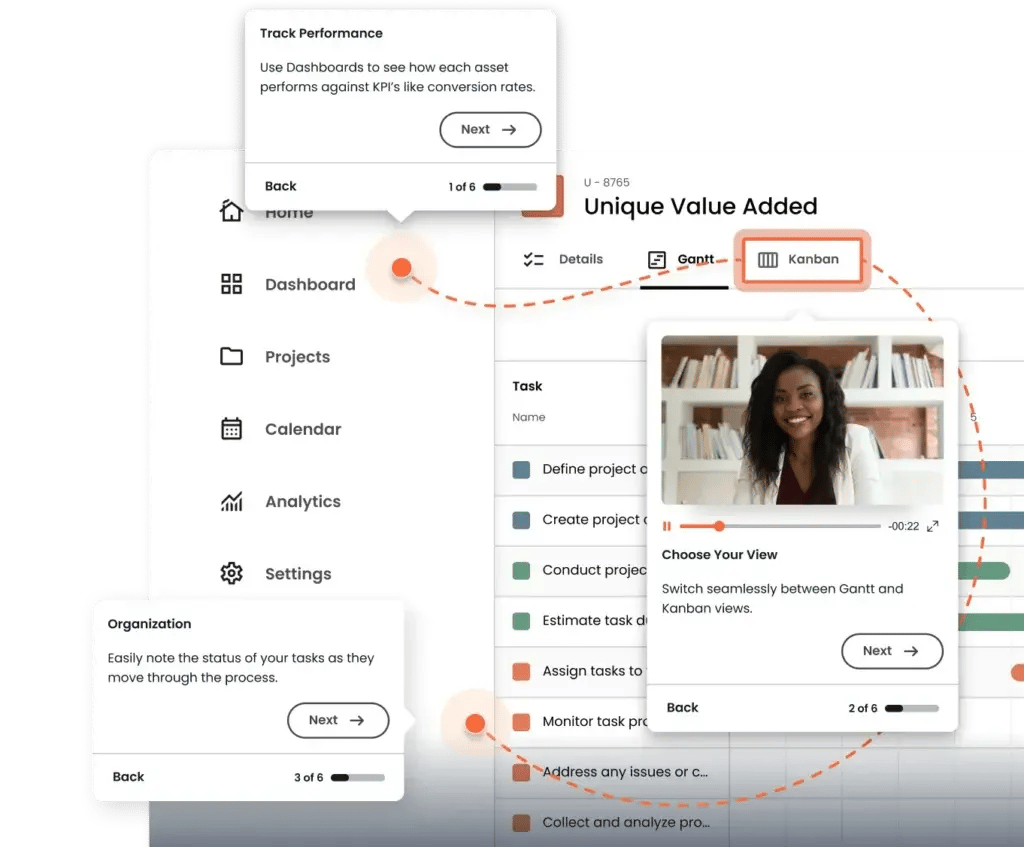
- Demo Creator: Create demos for every stage of your customer journey, designed for a personalized experience every time.
- Interactive Product Tours: Using HTML capture or screenshot capture, buyers view and try out your product in a contextualized guided tour. AI helps personalize which tours buyers receive so they can envision what it would be like to use your platform (as it applies to their role and needs).
- Live Demos with Data Injection: Inject real data into your live product in real time to create live demo experiences that are tailored to the buyer.
- Demo Intelligence: Track buyer engagement with AI-driven intent scoring and stakeholder insights that help you better qualify and interact with leads.
- Screen Recorder: Capture and edit demos right through Consensus.
- Demo Player: Deliver interactive demos on any browser or device.
- DemoBoards: Provide your buyers with a secure, branded, and customized landing page that shows off your solution in curated demo playlists.
- BuyerBoard: Give your champions a place to show your product to key stakeholders and colleagues, track engagement, and achieve alignment.
Pricing:
- Starter: $600/month
- Pro: $1250/month
- Enterprise: Consensus offers custom pricing tailored to your team’s size and needs. Contact Consensus to request a personalized quote.
It’s time to put your buyers in the driver’s seat, with the road leading right to your product and bigger, faster deals.
Learn more about Consensus’ AI-powered demos
2. Storylane

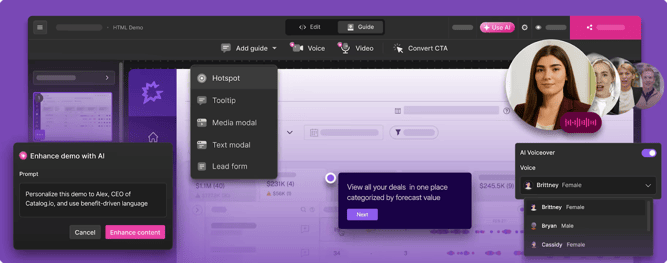
Storylane is an interactive demo platform that supports screenshot, video, and HTML-based product tours, making it useful for both sales and marketing teams. The no-code editor lets teams capture product flows via a browser extension, quickly turn those captures into guided experiences, and publish them as shareable interactive demos.
The platform also offers lead capture forms, personalization tokens, and analytics that show how buyers interact with specific demo paths, helping GTM teams identify high-value engagement early. It integrates natively with major CRMs and marketing tools, which makes it easier to connect demo engagement with broader funnels.
Key features:
- Account Reveal: Receive data and insights into leads and notifications when a high-value interest arises.
- Lead Forms: Adjust demos based on information inputted by the user.
- Tokenized Demos: Use text, image, date, and time tokens to personalize demos.
- DemoHub: Centralize demos.
- Analytics and Intent Data: Track engagement, completion rates, and buyer behavior across demos.
Pricing:
- Basic: $0 per month
- Starter: $40 per month
- Growth: $500 per month
- Premium: $1,200 per month
- Enterprise: Custom pricing available upon request
3. Navattic

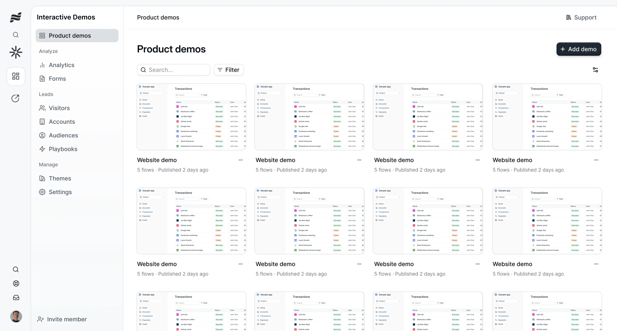
Navattic focuses on delivering interactive demos that buyers can explore independently without engineering resources. The platform lets users build self-guided demos that closely mimic their live product.
Using a browser extension to capture product screens, teams can link screens into guided experiences and embed them on websites or share them via email. , and use simple analytics to see which paths users take. Buyers can explore features based on their interests, while teams track engagement analytics to understand which workflows resonate most.
- Checklists: Visitors can select what they’re interested in learning.
- Share Links: Create and track links connected to each buyer.
- Input Triggers: Create trigger actions for how viewers are interacting with a demo.
- Analytics and Notifications: Track how viewers are interacting and get notifications for real-time interactions.
- Embedded Demos: Embed interactive demos directly on websites or landing pages.
Pricing:
- Starter: $0 per month
- Starter Plus: $50 per month
- Base: $600 per month
- Growth: $1,200 per month
- Enterprise: Custom pricing available upon request
4. Walnut

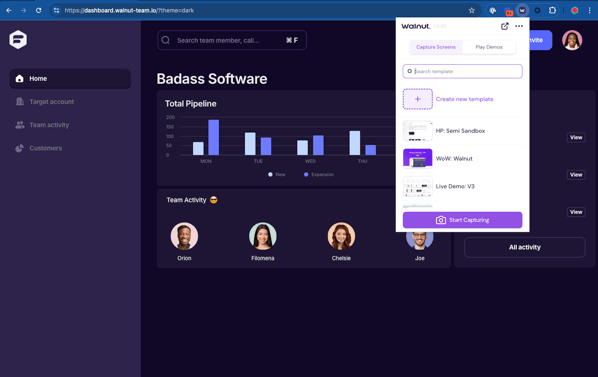
Walnut is an interactive demo platform built for sales-led organizations that need deep personalization and deal intelligence. Using a browser extension, teams can capture product screens, customize flows, and create demos tailored to specific accounts.
The platform offers AI-assisted capture and editing tools to speed demo creation, and its analytics help teams see how prospects are engaging with demos. Walnut’s suite also includes semi-sandbox environments for technically detailed demos and playlists or digital deal rooms for multi-stakeholder buys.
Key features:
- Demo Wizard: Capture, edit, and personalize demos without relying on live environments.
- Deal Intelligence: Track buyer engagement and identify intent signals across stakeholders.
- Demo Library: Store, organize, and reuse demos across sales teams.
- Integrations: Connect demos with CRM, sales enablement, and analytics tools.
- Collaboration Tools: Enable multi-editor workflows and in-demo commenting.
Pricing:
- Ignite: $750 per month
- Accelerate: $1,550 per month
- Scale: Custom pricing available upon request
5. Chameleon

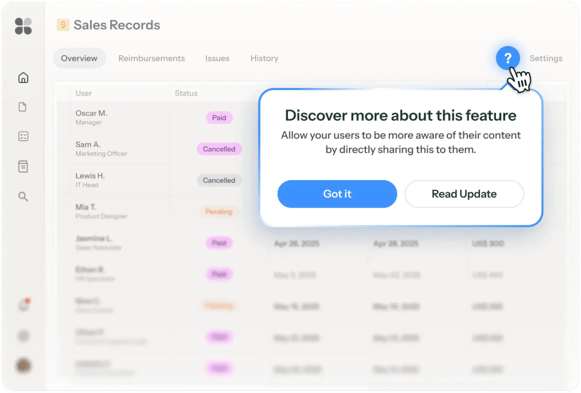
Chameleon is primarily a product adoption platform, but it also offers interactive demo functionality for both pre-sales and onboarding. Teams can create guided product tours, tooltips, banners, and in-app messaging to educate users and prospects alike. The platform also enables audience segmentation, in-app widgets, and feedback capture through microsurveys to better contextualize demos and next actions.
For SaaS companies focused on activation and adoption, Chameleon bridges the gap between selling and onboarding by delivering consistent, in-product experiences.
Key features:
- Product Tours: Create guided in-product tours for selling and onboarding.
- Segmentation: Segment audiences, track conversion, and trigger next steps.
- Launchers: Add customizable in-product widgets.
- Microsurveys: Collect feedback through in-product surveys.
- Templates: Create product tours with pre-made templates.
Pricing:
- Free: $0 per month
- Startup: From $279 per month
- Growth: From $15K per year
- Enterprise: Custom pricing available upon request
6. Demoboost

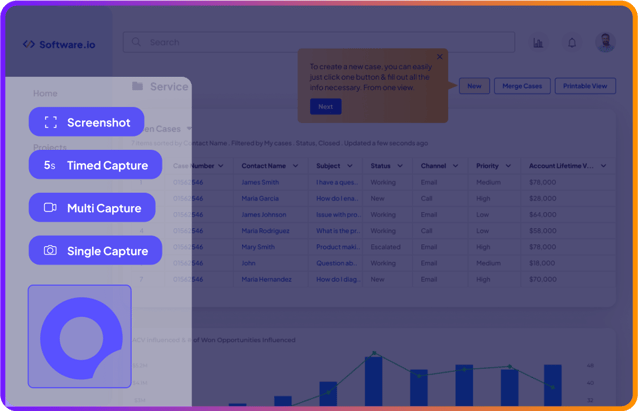
Demoboost gives teams flexible options for creating interactive demos using screen captures, screenshots, and multi-screen recordings. Users can edit demos to match specific buyer needs and integrate them into their broader tech stack.
With engagement analytics like completion rates and viewer behavior, Demoboost helps teams understand which demos resonate and where prospects drop off. The platform also supports integration with analytics stacks, so teams can export behavior data and enrich lead records.
Key features:
- Multiple Capture Options: Capture a screen for a product tour through single-screen, multiscreen, and screenshot captures.
- Custom Calls to Action: Direct viewers through their tour and toward next steps.
- Demo Analysis: Track how viewers are interacting with demos.
- Demoboost Overlay: Integrate existing demos with live demos.
Pricing: Custom pricing available upon request
7. Demostack

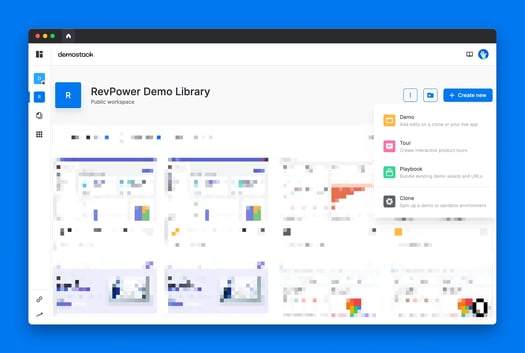
Demostack specializes in creating full sandbox demo environments by cloning both the front end and back end of a product. This allows buyers to interact with a trial-like experience without exposing live data or infrastructure.
The platform supports complex workflows suited for enterprise sales cycles. Teams can build tailored scenarios that highlight relevant features, integrate AI data generation to populate demos with realistic data, and bundle demo content with collateral for multi-stage deals.
Key features:
- Overlay Narratives: Add guided storytelling layers over demos.
- Cloner: Clone front end and back end product environments for realistic demos.
- Sandbox Environments: Provide a trial-like environment for viewers to explore on their own.
- AI Data Generator: Populate demos with realistic, buyer-specific data.
- Demo Playbooks: Bundle demos, content, and workflows into reusable playbooks.
8. Omedym

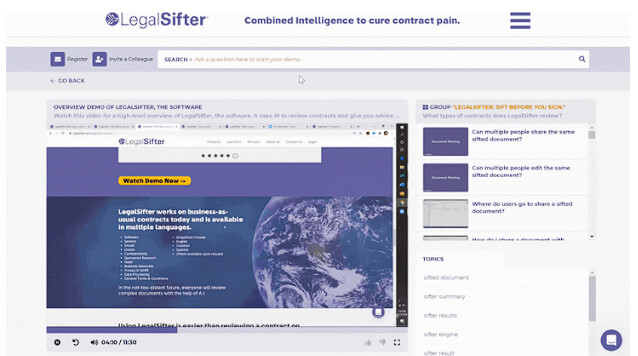
Omedym turns existing content, such as videos, presentations, and product collateral, into interactive demos and digital sales rooms. Using natural language processing (NLP), the platform makes content inside demos searchable and organizes assets into secure hubs. The digital sales rooms create a hub for demos and other content. Users also get buyer analytics and reports, giving teams insight into content engagement and prospect intent.
Key features:
- In-Video Search: Index and search every word within demo content using NLP.
- Digital Sales Rooms: Create secure hubs for demos and supporting content.
- Content Hub: Centralize videos, demos, and sales assets in one place.
- Buyer Analytics: Track buyer actions and engagement within sales rooms.
- Approval Controls: Restrict access to approved viewers only.
Pricing:
- Standard: $29 per month
- Professional: $49 per month
- Enterprise: $90 per month
9. ScreenSpace

ScreenSpace takes a narrative-driven approach to interactive demos, branding its experiences as “Stories” that blend product walkthroughs with interactive elements and narrative context. It emphasizes storytelling techniques like guided feature callouts, story points, and engagement insights, to make demos feel more like experiences than tours.

- Stories: Create narrative-driven interactive demo experiences.
- StoryPoints: Use expandable windows to tell a Story.
- ToolTips: Highlight features in callouts in a Story.
- Story Insights: Collect engagement data.
- Lead Forms: Integrate forms into a Story for lead capture.
Pricing:
- Platform: From $500 per month
- Sprint: From $1,750 per month
- Agency: From $5,000 per month
10. Supademo

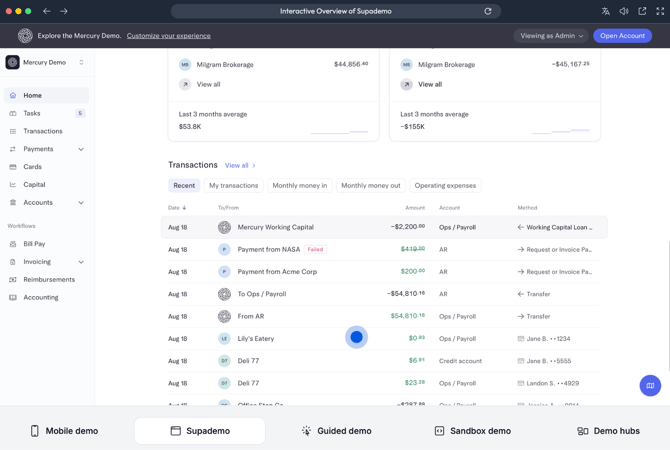
Supademo is a flexible and cost-effective demo platform that supports screenshot, HTML, and sandbox-style interactive demos with AI enhancements. It provides conditional branching, variables for demo personalization, trackable links, and an in-app demo hub to deliver experiences inside products or websites. Users can also add additional AI elements, like an AI voiceover or translation.
Key Features:
- Multiple Recording Options: Record a product tour using the Chrome extension or using a desktop app.
- Conditional Branching: Add variable flows for viewers to choose what they want to see.
- Trackable Links: Create unique links for viewers and receive notifications and analytics on their actions.
- AI Enhancements: Add AI voiceover, translation, and other AI-driven features.
- Demo Hub: Organize and share demos in a centralized library.
Pricing:
- Starter: $0 per month
- Scale: $50 per creator per month
- Growth: $350 per 5 creators per month
- Enterprise: Custom pricing available upon request
11. Tourial

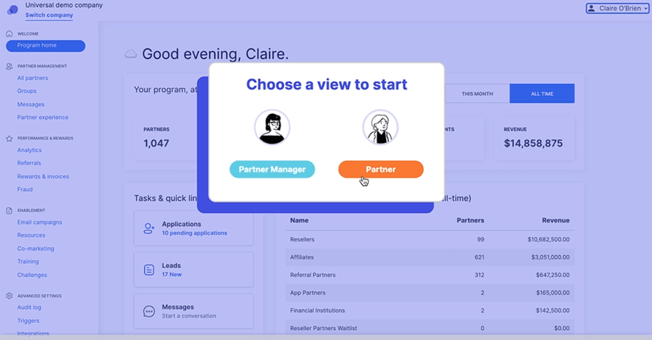
Tourial lets users create interactive product tours using screenshots or browser captures, then organize those demos in a central democenter. This hub allows visitors to explore different paths based on use case or persona, and Tourial integrates with CRM and marketing tools to track engagement.
Key features:
- Demo Builder: Record a product and add interactive features.
- Workflow Capture: Record a demo through a Chrome extension.
- Demo Center: Create a hub for a buyer’s content.
- Engagement Data: Receive contact-level insights into a buyer’s engagement.
- CRM Integrations: Sync engagement data with sales tools.
Pricing:
- Engage: Pricing available upon request
- Scale: Pricing available uponrequest
Best Practices for Interactive Product Software Demonstrations
The most effective interactive demos are designed to educate buyers quickly, guide them to value, and surface intent without overwhelming them. Use the following best practices to design top-notch demos that perform across the funnel:
- Keep demos short and focused: Design demos to be concise and outcome-driven, ideally within 5–10 steps for most use cases. Each step should move the buyer closer to understanding a specific value, not introduce unrelated features.
- Design for buyer use cases, not internal product structure: Organize demos around real workflows and problems buyers are trying to solve, rather than mirroring your product’s navigation or feature hierarchy.
- Offer branching paths where it adds value: Allow buyers to choose which features or use cases they want to explore when appropriate, but avoid excessive branching that can dilute the core narrative.
- Personalize the experience whenever possible: Tailor demos by role, industry, or priority so buyers see the features most relevant to them. Even lightweight personalization significantly improves engagement and completion rates.
- Guide attention visually: Use tooltips, highlights, and beacons to direct users to key areas of the interface. Don’t assume buyers know where to look or what matters most on each screen.
- Start with a clear value statement: The first screen should immediately communicate what the buyer will learn and why it matters to them. Avoid generic introductions and get to the point quickly.
- Include clear next steps throughout the demo: Place calls to action at natural stopping points, such as after a key feature or workflow. CTAs should clearly signal what happens next, whether that’s booking time with sales, sharing the demo, or reviewing pricing.
- Support demos with relevant content: Attach or link supporting materials like pricing, case studies, security documentation, or ROI resources so buyers can continue their evaluation without leaving the experience.
- Make demos easy to share internally: Assume your demo will be passed between stakeholders. Ensure it works without explanation, provides enough context for new viewers, and supports alignment across buying committees.
- Track engagement and iterate regularly: Review analytics to understand where buyers spend time, where they drop off, and which features drive the most interest. Use this data to refine, shorten, or restructure demos over time.
What Gartner Says About Interactive Demonstration Applications
Gartner identifies interactive demonstration applications as a distinct and increasingly important category for B2B SaaS, specifically for buyer evaluation and demo scalability. In its research, Gartner focuses its guidance on how companies should apply, evaluate, and manage these tools effectively:
- Treat interactive demos as reusable infrastructure: Gartner consistently frames interactive demos as assets meant to scale across marketing, sales, and customer success. For teams, this means investing in demos that can be centrally managed, kept current as the product evolves, and reused across multiple stages of the buyer journey.
- Match the demo experience to the buying context: Rather than assuming the most realistic or highest-fidelity demo is always best, Gartner emphasizes fit-for-purpose experiences. Teams should design demos around what a buyer needs to understand at a given moment, not around recreating the full product environment.
- Expect demos to generate insight, not just engagement: Gartner highlights that interactive demos produce valuable engagement data that static assets cannot. For revenue teams, this means demos should be evaluated not only on usage, but on what they reveal, such as feature interest, depth of exploration, and evidence of internal sharing within an account.
- Plan for governance and maintenance early: A recurring Gartner caution is operational: interactive demo libraries can quickly become fragmented or outdated if ownership and update workflows are unclear. Gartner advises organizations to assess how easily demos can be maintained over time and who’s responsible for accuracy, messaging, and deployment.
- Be selective when choosing a vendor: Gartner notes that the market is crowded and not all tools offer meaningful interactivity. Buyers are encouraged to look beyond video-based experiences and evaluate platforms based on depth of interaction, scalability, and the ability to support multiple teams.
Gartner’s guidance sets a clear bar for how interactive demos should be managed once they start to scale. Consensus AI is designed to meet that bar by helping teams reuse demos across marketing and sales, keep them current as products change, and surface how buyers engage during evaluation—without relying on manual demo creation or upkeep.
What Redditors Say About Interactive Demo Platforms
- Analytics matter more than views: A recurring theme is that demo value comes from understanding intent. Redditors emphasize that “seeing what they clicked tells you what they actually care about,” with Consensus frequently mentioned in this context due to its viewer-level engagement tracking.
- Interactive demos are reused across the funnel, not just for sales calls: Teams describe using demos “in email nurtures, outbound, even post-sale stuff like onboarding,” calling them “one of our most versatile tools.”
- Consensus is consistently associated with sales-led use cases: When Redditors talk about demos used by sales teams and buyer committees, Consensus comes up for being “a lot more than just a product tour tool,” with demos that “personalize themselves depending on who’s watching” and show “exactly what each viewer clicked on and how long they spent.”
- Maintenance and cost are the main tradeoffs: Redditors warn that demos require ongoing updates as products change and that complexity increases quickly.
- Top advice includes testing narrowly and keeping demos focused: Reps recommend paying for a short trial to test branching and click-through behavior, keeping demos to a small number of core flows, and resisting the urge to demo every feature.
How to Choose Between the Best Interactive Demo Software
Now you know what interactive demo software is out there…but how do you know which one to choose? After all, that B2B buying journey is a tough one, and this time, you’re in the driver’s seat.
When determining the right interactive demo software for your product, look for:
User-friendliness
Nearly 70% of sales reps say they’re overwhelmed by their tech stack. That means you want a tool that your sales (and pre-sales and marketing and customer success) teams are excited to use. And, they have to work great on the buyer side too.
Choose an interactive demo software with a great UI, quick implementation, and great customer support that can quickly address any issues quickly. Websites like G2 are a great place to gather information on how current users feel about a platform’s ease of use.
Scalability
If you want to grow as a business, your tech stack needs to keep up. When you invest in an interactive demo software, it’s important that it can accommodate your growing user base and offer demos for a larger number of viewers than you may need right now.
Customization
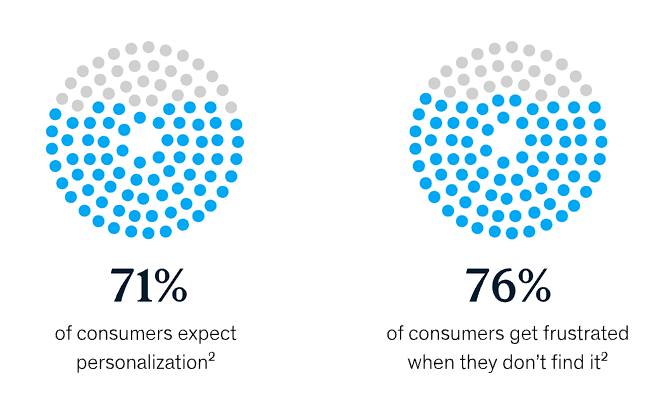
More than 70% of consumers say that they expect personalized interactions during their buyer journey, and 76% say that they become frustrated with a brand if they don’t find such interactions. In the B2B universe specifically, 40% of consumers prefer personalized product demonstrations when making a software decision.
So…the votes are in: Customize your demo experience! The best interactive demo software will offer ways to personalize the demos and the entire buyer experience. For example, with Consensus, you can build completely custom demos with branching questions and buyer-specific feature selection.
AI & automation
Your interactive demo software should save your go-to-market teams time, which is thankfully possible with automation and AI features. With AI, you can:
- Integrate real-time data into your demos
- Receive data-backed tips on how to optimize your demos
- Locate content quickly and easily with natural-language processing
- Get answers instantly
- Add subtitles to your demos for more accessibility
Integrations
Prevent data and content silos by choosing an interactive demo software that easily integrates with your other tools, such as your CRM, sales intelligence tools, and sales enablement software. Your go-to-market teams can access the analytics, content, data, and demos they need to provide your buyers with a seamless, informed customer journey.
Analytics & reporting
Which of your demos get the most engagement? Why do some of your demos kill your leads? With in-depth analytics and clear reports, you can see how your buyers are interacting with your demos so you can optimize how you engage with them and qualify your leads.
Pick the Best Interactive Demo Platform for Businesses
Buyers don’t want to book a demo just to get oriented. They want to explore on their own, understand what’s relevant to them, and decide when it’s worth engaging with sales. The best interactive demo software makes that possible, but not all tools deliver the same value.
Consensus is built for buyer-led discovery. Instead of a static walkthrough, it uses AI to deliver role-based, personalized demos that adapt to each stakeholder. Buyers see the features that matter to them, while every interaction generates clear intent signals for revenue teams.
That changes how demos are used across the funnel. Sales knows who’s engaged and what they care about before a conversation starts. Presales spends less time repeating the basics. Marketing can see which messages actually drive product interest, not just clicks.
With Consensus, interactive demos become a scalable buying experience that gives buyers control and teams the insight they need to move deals forward faster, with better context.
Take a personalized product tour of Consensus.