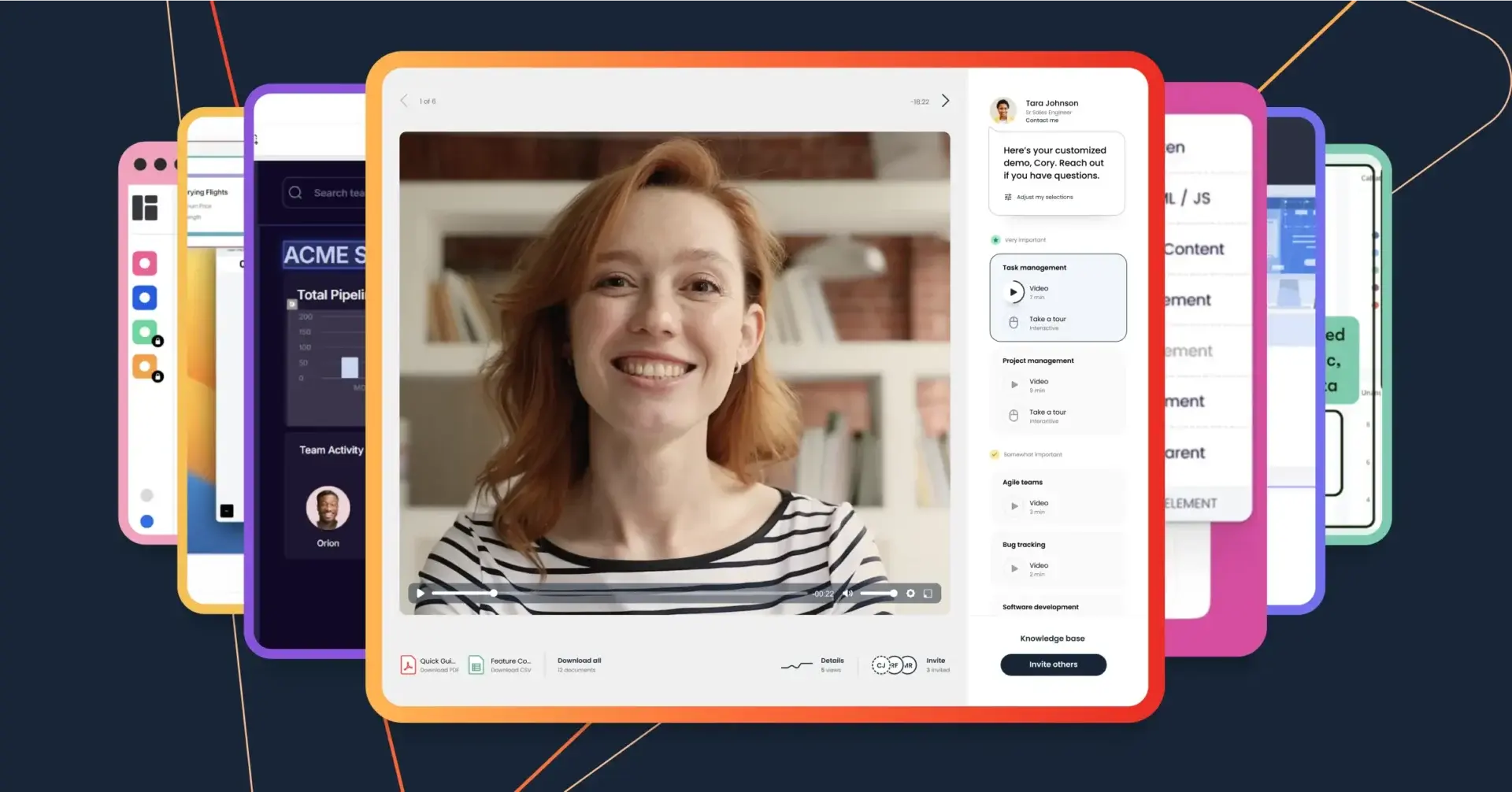


B2B buyers don’t want to wait for a sales conversation—they want answers now. With 75% preferring self-service buying, companies are moving away from traditional sales demos and toward product tours.
Engaging by nature, product tours give buyers a taste of your product without having to host a million sandbox instances or mess with dummy data. They also empower buyers to explore solutions independently, at their own pace. This shift from seller-led deals to buyer enablement respects modern buyers’ time constraints and preferences for self-education.
Let’s break down exactly how product tours reshape the buyer journey, why they work, and how you can create experiences that resonate with your buyers.
What Are Product Tours?
A product tour is a guided introduction that walks potential buyers through a product’s key features and the value they deliver. It gives buyers an opportunity to explore a solution in context during the evaluation stage. This helps them see how it works, understand how it addresses their challenges, and build confidence in its potential impact. You can also use product tours for onboarding or new feature launches.
Interactive tours reduce friction by pairing narrative guidance with clickable elements—like video segments, branching paths, or interactive hotspots—that make the experience both engaging and informative.
Product Tour vs Product Demo vs Product Simulation
A product tour, product demo, and product simulation are all different ways to showcase your solution as the best option. Here’s how they differ:
- Product Tour: A clickable, interactive experience designed to help buyers explore and understand a product’s core features at their own speed. Tours highlight value by showing how the product addresses common challenges, helping buyers visualize its impact.
- Product Demo: A live or on-demand presentation that showcases a product’s capabilities to prospective buyers. Demos focus on selling the solution by aligning the product’s features to a buyer’s unique challenges.
- Product Simulation: A hands-on, interactive environment where prospective buyers can test-drive a product in a sandbox setting. Simulations allow buyers to explore and interact with features directly and complete tasks without impacting live systems.
By using the right approach at the right time, companies can create buyer experiences that are both scalable and impactful.
How Can Guided Tours Improve Product Understanding for Buyers?
Guided product tours give buyers a structured way to explore your solution, removing the guesswork that usually comes with self-education. Instead of leaving buyers to navigate your product on their own, guided tours walk them step-by-step through the features that matter most. They not only get to see what your product can do, but learn why those capabilities matter in the context of their specific challenges. For many buyers, this accelerates the “aha moment”—that point when they recognize how your solution fits their needs.
They also help reinforce consistency. Every buyer receives the same clear explanation of your product’s strengths, which minimizes miscommunication and makes it easier for them to share internally with other stakeholders. When buyers feel confident in how your product works and how it solves their problems, they’re more likely to take the next step toward purchase.
What Are the Most Common Use Cases For Product Tours?
Product tours can be used in other stages of the buyer journey too, including:
Marketing
For marketing teams, product tours can be a game-changer in qualifying leads early. They allow potential buyers to explore your product on their own terms before committing to a demo, reducing unnecessary demos and converting leads at scale. Use product tours on your website and convert hundreds of inquiries into marketing qualified leads (MQLs) and product qualified leads (PQLs) weekly.
You can also track how your audience is viewing your product tours, then use the data to refine your marketing strategies.
Presales
In presales, product tours allow you to scale features across your buyer base and enhance product storytelling. Tours encourage hands-on exploration—buyers interact with your product, see how it aligns with their specific needs, and gain a deeper understanding of your platform’s functionality and potential impact.
Presales teams can use the resulting intent data to improve their strategies, identify key decision-makers, and determine when buyers are ready to move forward. This boosts sales efficiency, reducing the amount of low-intent, unqualified demos and making every call high value.
Sales
Sales teams can use product tours to align with buyer priorities and show they’re actively listening to their needs. And because they’re a self-service tool, tours support buyer enablement by letting buyers sell themselves on your product and easily share your information with key stakeholders. Not only does this give your sellers back valuable time, it shortens sales cycles, boosts conversion rates, and increases deal sizes.
Looking to upsell? Product tours can effectively showcase additional features, increasing deal sizes by highlighting the added value they bring.
How to Create an Engaging Product Tour
Creating an engaging product tour involves crafting an interactive experience that captures your audience's attention and guides them seamlessly through the buyer’s journey. Here’s how to make it happen.
1. Define Your Audience and Goals
Knowing who you're speaking to and what you want to achieve is where it all begins. Define your audience by considering their roles, industries, and specific challenges. Are they decision-makers, or are they influencers within their companies? What pain points are they likely to bring to the table, and how much detail do they need to feel confident moving forward?
Set clear goals for your tour, whether it's building awareness, demonstrating differentiators versus competitors, or driving conversions. With a defined audience and clear objectives, your product tour will resonate more and drive meaningful results.
2. Plan the Buyer’s Journey
Think of the buyer's journey as the roadmap for your product tours. Identify the major stages of your buyer’s journey, followed by key moments where your tours can provide value and anticipate user questions and concerns.
Your buyer journey might include the following stages:
- Awareness: Buyer recognizes they have a problem but haven’t identified possible solutions yet
- Consideration: Buyer compares and contrasts specific solutions to their defined problem
- Decision: Buyer makes their final selection and negotiates terms
- Retention: Buyer masters your product to achieve their desired outcomes
- Advocacy: Buyer actively recommends your product to peers and expands usage within their company
Use your audience insights and goals as your compass to ensure your tours are strategically aligned with each step of the journey.
3. Use Specialized Product Tour Software
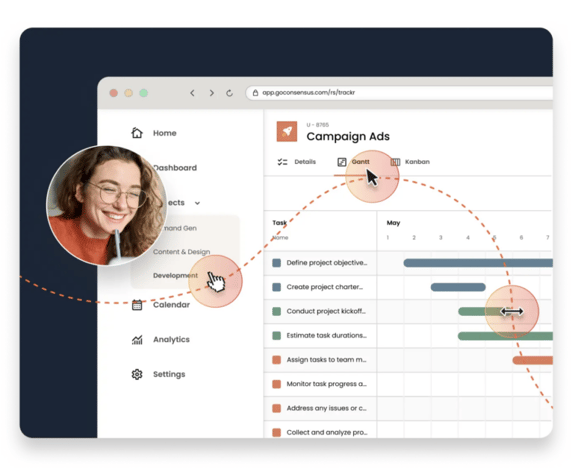
Buyers want to be able to do their own research before reaching out to a sales rep. Product tour software allows you to create engaging product tours that your buyers can explore at their own pace, reducing friction and empowering them to take control of their learning journey.
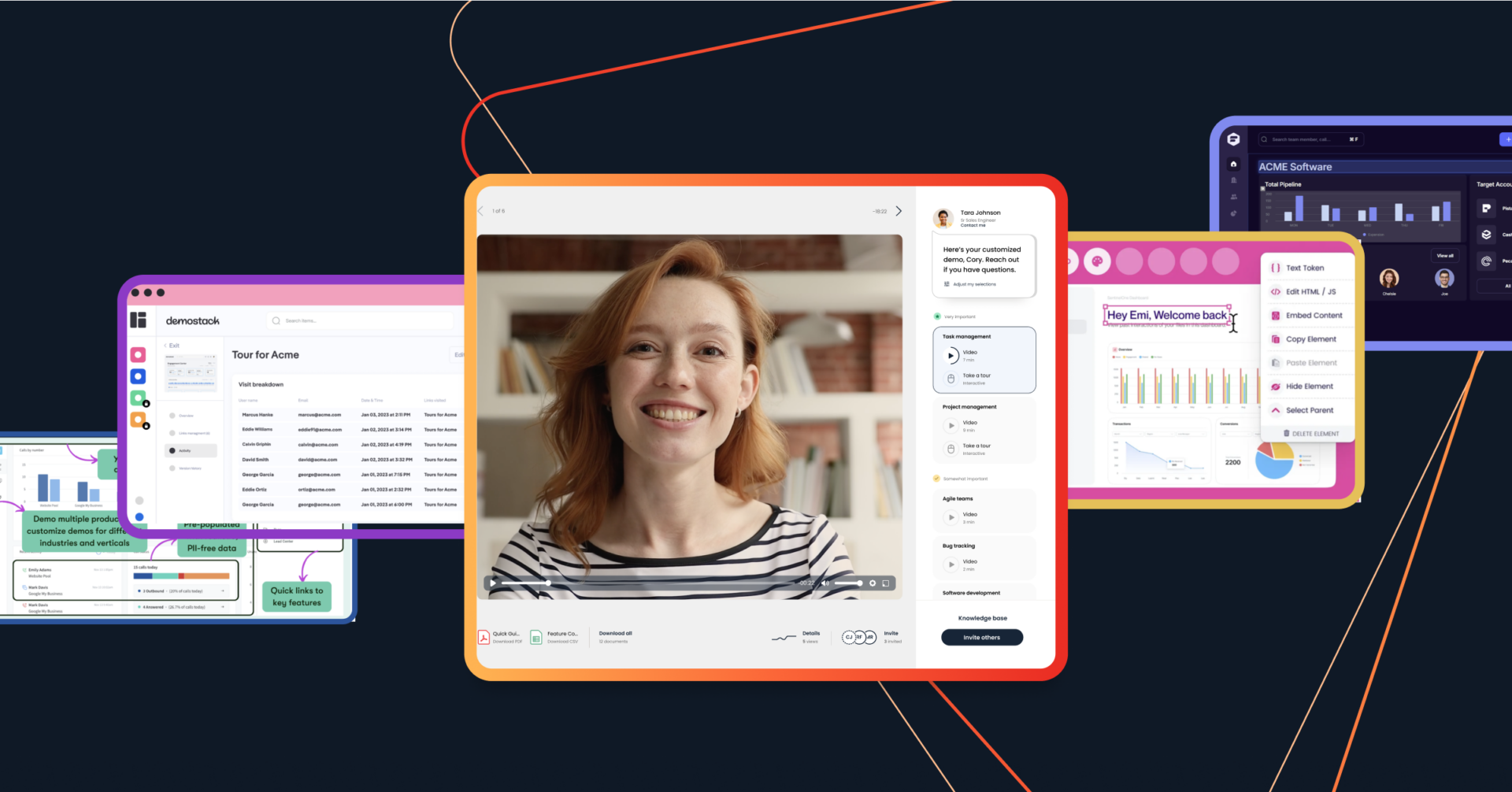
Using Consensus, you can create media-rich product tours that feature interactive product demos, story paths, narrative walkthroughs, and downloadable assets that make buying simple.
4. Personalize the Product Tour Based on the Buyer
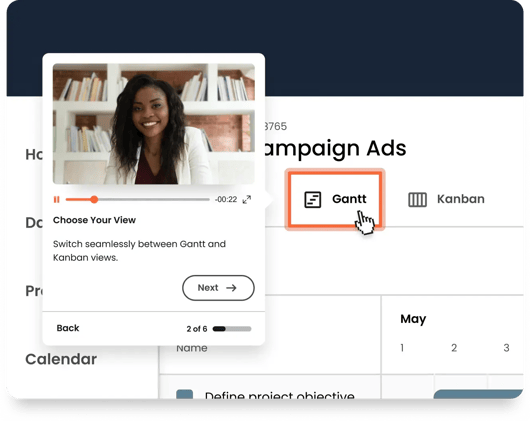
Personalization is key to making your product tour relevant and impactful. Use data about your buyers (like their roles and challenges) to tailor your content, then provide the information they seek most to enhance their overall experience. For example, if they’re focused on sales efficiency, showcase your product’s features that save time.
Consensus gives your buyers the power to completely personalize their experience using branching workflows. Your buyers tell Consensus what features they want to see the most, and the platform delivers a fully customized tour built especially for their needs and pain points. Consensus’ AI also helps ensure every demo experience is unique to your individual stakeholders. It’s built directly into the platform to make every demo smarter, every interaction more personal, and every experience unforgettable.
.webp?width=508&height=404&name=Frame%204625%20(3).webp)
5. But Deliver Consistent Product Messaging
One of the biggest challenges in scaling product tours is ensuring your message is consistent, no matter who delivers it. When every team member explains features differently, buyers can walk away with mixed impressions of your product. That inconsistency can slow down or even derail the buying process.
Use your product tour software to centralize and standardize messaging. Pre-built tours allow you to lock in the narrative you want every buyer to hear, highlighting the right features in the right order. That way, whether the tour is shared via email, embedded on your website, or presented in a live call, buyers are always experiencing the same core story.
Consistency also extends to tone and positioning. Incorporating branded visuals, uniform terminology, and a cohesive storyline across all tours helps reinforce your company’s value proposition. With standardized, interactive product tours in place, your sales team can focus less on remembering the exact phrasing and more on building relationships—with confidence that your product’s capabilities are being communicated accurately every time.
6. Add Live UI Elements
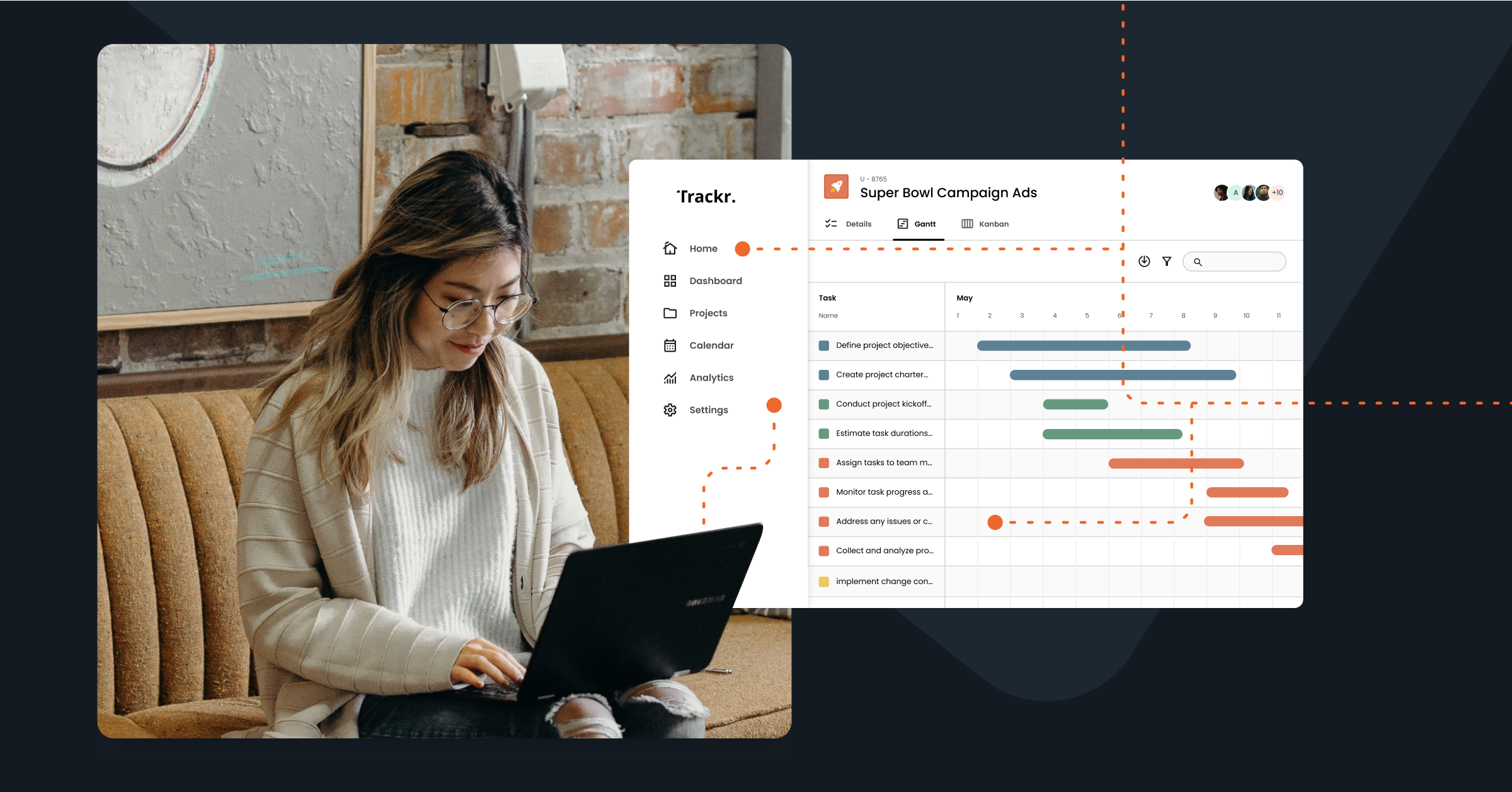
Adding live user-interface elements to your product tours transforms passive viewing into active engagement. Instead of simply watching a product walkthrough, buyers can click, type, or select options within the tour itself. This interactivity keeps buyers engaged and helps them visualize how your product will fit into their daily workflows. The more hands-on the experience feels, the more memorable and impactful it becomes.
Consensus allows you to integrate buttons, checkboxes, text fields, and other interactive components into your tours. And with its AI-powered features, you can turn a simple click path into a complete tour—with storyboards, scripts, and voiceovers ready to go—so you can focus on the story, not the setup.
This hands-on approach allows buyers to experience exactly how your solution works in real-time, ultimately building confidence and trust in your solution’s capabilities.
.png.webp?width=543&height=432&name=Frame%204625%20(1).png.webp)
7. Share Your Tour (And Make it Shareable)
Making your tour easily shareable amplifies its reach and effectiveness. With Consensus, you can create custom links that can be shared via your website, email campaigns, social media, and more.
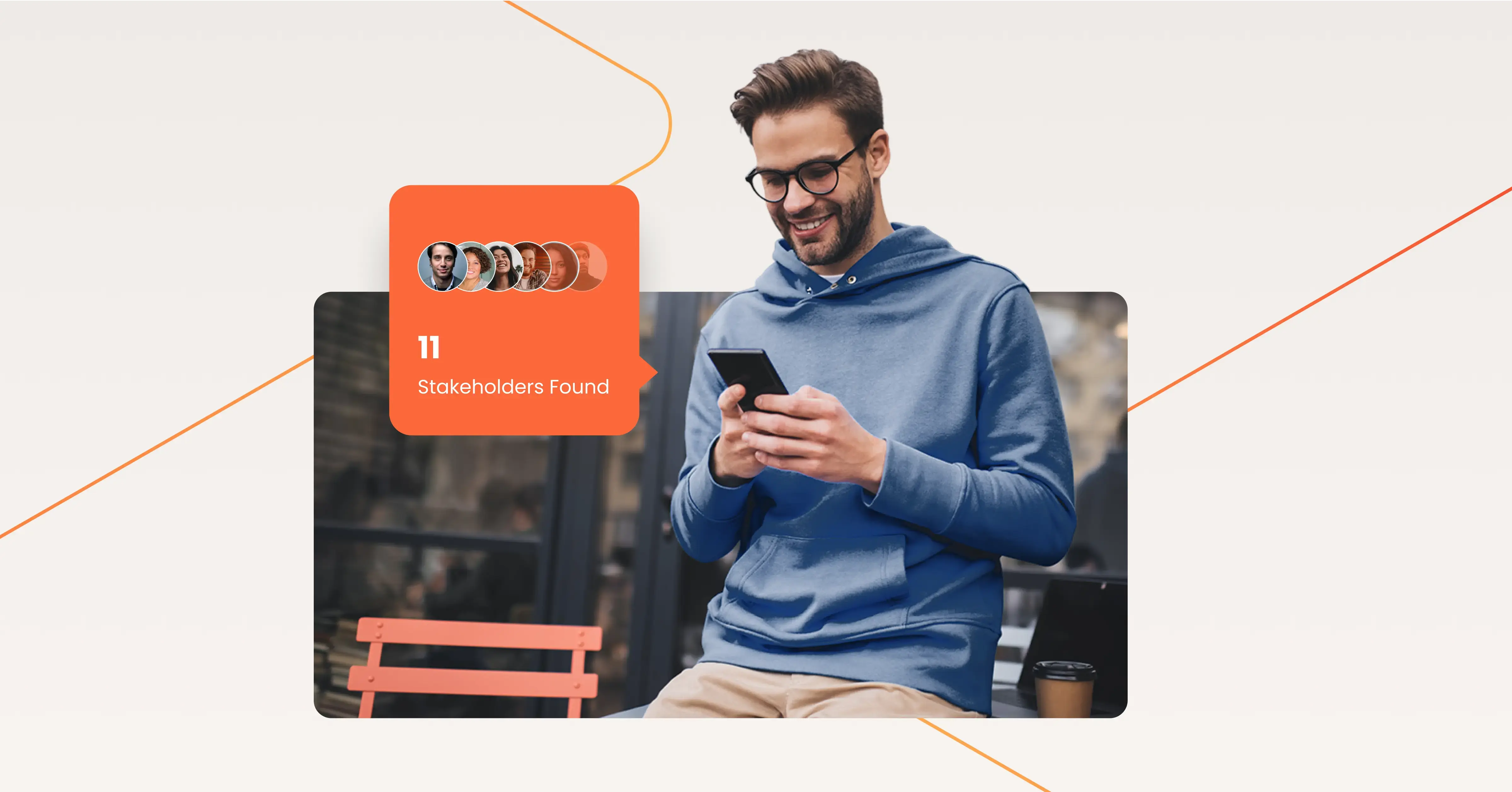
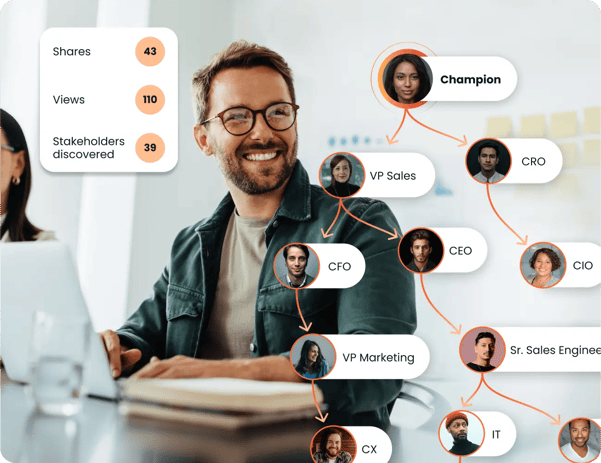
You can also use Consensus’ BuyerBoard to give your buyers a convenient place to show off your product and accelerate decision-making—an invaluable feature, considering the average B2B buying experience includes six to 10 stakeholders.
8. Analyze and Revise Your Product Tours
Continuous improvement is fueled by data. Even the most engaging product tour can lose effectiveness over time if it isn’t regularly reviewed and optimized. As your product evolves, your buyers’ expectations and pain points shift too—and your tours need to adapt alongside them.
Treat every tour as a living asset: monitor how it performs, identify where users drop off, and look for opportunities to streamline, simplify, or add clarity. Small adjustments, such as reordering steps, shortening content, or making instructions clearer, can have a big impact on keeping prospects engaged and moving them toward the next step in the buyer’s journey.
Using Consensus’ Demolytics, you can track interaction patterns and overall engagement to refine and optimize your tours, including:
- Time spent: How much time a buyer spends watching videos during a session
- Page views: The number of screenshots a buyer visited throughout the tour experience
- Story plays: If a user clicks at least one element within the story flow, it counts as a Play
- Story steps opened: How many elements buyers opened during the session
- Tour views: How many times a tour has been viewed
Regularly revising your product tours based on these insights maximizes their impact and keeps them fully aligned with user needs.
What to Look for When Choosing a Product Tour Software
Choosing product tour software can feel a lot like online dating: plenty of options, lots of bold claims, but only a few that truly understand your needs.
Here’s what to look for in your perfect match:
Buyers are no longer satisfied with recorded messages talking them through the product alone. They want to be able to try it out for themselves and get a taste of the real experience, which builds confidence and trust.
Make sure the product tour software you choose provides buyers with a guided learning experience and interactive features. When buyers believe in what they see, they’re more likely to move forward.
Customization and Branching Workflows
Today’s buyers expect personalized experiences, so having product tour software that supports customization and branching workflows is a must. Your product serves multiple purposes and your audience varies widely. Taking a one-size-fits-all approach with your product tours won't capture the unique needs of different buyers.
The best product tour software lets you tailor the experience, offering multiple workflows for diverse audiences with hyper-specific needs. This ensures that each buyer gets the product tour that’s just right for them.
Ease of Use
Your product tour software should make it effortless to capture and showcase your product’s functionality. The most effective tools provide simple ways to record actions directly within your product or quickly capture screenshots, so you can build tours in minutes rather than hours.
Intuitive editors that let you add text, hotspots, video, or audio explanations without coding ensure that anyone on your team—not just technical staff—can create polished, interactive experiences. There should also be easy-sharing features for your buyers that make distributing your tours with key stakeholders effortless, leading to better collaboration and quicker decision-making.
Ease of use extends to updating tours too. Look for platforms that allow you to make one change in a tour and have it reflected everywhere it’s been shared or embedded. This saves you from the tedious task of recreating or redistributing tours whenever your product evolves.
Automation and AI
Look for product tour software with automation options related to tour generation, maintenance, management, and editing. This keeps your tours up-to-date and relevant without the constant need for manual input, freeing up your go-to-market teams to focus on what they do best: engaging and selling.
Choosing a product tour software with AI capabilities can streamline your processes even more. The most effective tools use AI to help teams create tours faster—capturing workflows, generating content, and automatically updating tours as your product evolves. They also leverage AI to personalize buyer experiences so that each stakeholder is guided down tailored paths based on their role, interests, and engagement history.
For example, Consensus AI brings demo automation into a new era. It’s built to do the heavy lifting—so your teams don’t have to. From one-click script creation to automated voiceovers and dynamic personalization, Consensus helps go-to-market teams launch and update demos at scale, without pulling in designers, devs, or presales.
With Consensus AI, your demos evolve automatically as your product does. And with intelligent personalization baked in, each stakeholder sees a version tailored to their role, pain points, and engagement history—without extra lift from your team.
.png?width=595&height=473&name=Frame%204625%20(2).png)
In-depth Reporting and Analytics
To improve user engagement, your product tour software should offer in-depth analytics that offer a window into how users interact with your product tours. Tracking audience intent data helps you fine-tune the buyer experience and make informed decisions that can lead to successful outcomes.
Use your software’s reports to refine sales strategies, pinpoint decision-makers, and discover new opportunities to connect with key stakeholders.
Create the Perfect Product Tours For Your Future Buyers
Engaging product tours give buyers the freedom to explore your solution in a way that’s relevant, personalized, and on their own terms. They can dive into key features, grasp the real-world benefits, and envision how your product fits into their operations—before ever talking to sales. By the time they do, they’re informed, aligned, and ready to move forward. That means shorter sales cycles, faster consensus across buying groups, and bigger deals.
Consensus makes it easy to build these personalized tours at scale—powered by AI. With intelligent tools that help you create, enhance, and customize demos in minutes, your team can deliver more relevant product experiences with far less manual effort. AI-generated storyboards, voiceovers, video production, and scalable simulation editing remove friction from content creation, while embedded agents surface insights and recommend next best actions to move deals forward. Every tour becomes smarter. Every interaction is more impactful.
This is more than automation—it’s intelligent buyer engagement. With Consensus AI, your demo content doesn’t just show value—it adapts, scales, and sells for you.
Ready to create standout product tours that align perfectly with your buyers’ needs? Try a demo.